


In this article, we will look into SAP Cloud Integration Suite, Cloud Integration Platform, and their capabilities. First, we will discuss the concept of cloud computing and its advantages. Second, we will have a look at SAP’s cloud integration product strategy. Third, we’ll understand the features of SAP API Business Hub and SAP Integration Suite. Additionally, we will deep dive into the features of the SAP Integration suite, such as API Management, Open Connectors, Cloud Integration, Event Mesh, and Integration Advisor.
Finally, we will discuss the pricing model of SAP Integration Suite, what to consider when migrating to CPI from PI/PO, and more details about the Event Mesh concept.
What is Cloud Computing?
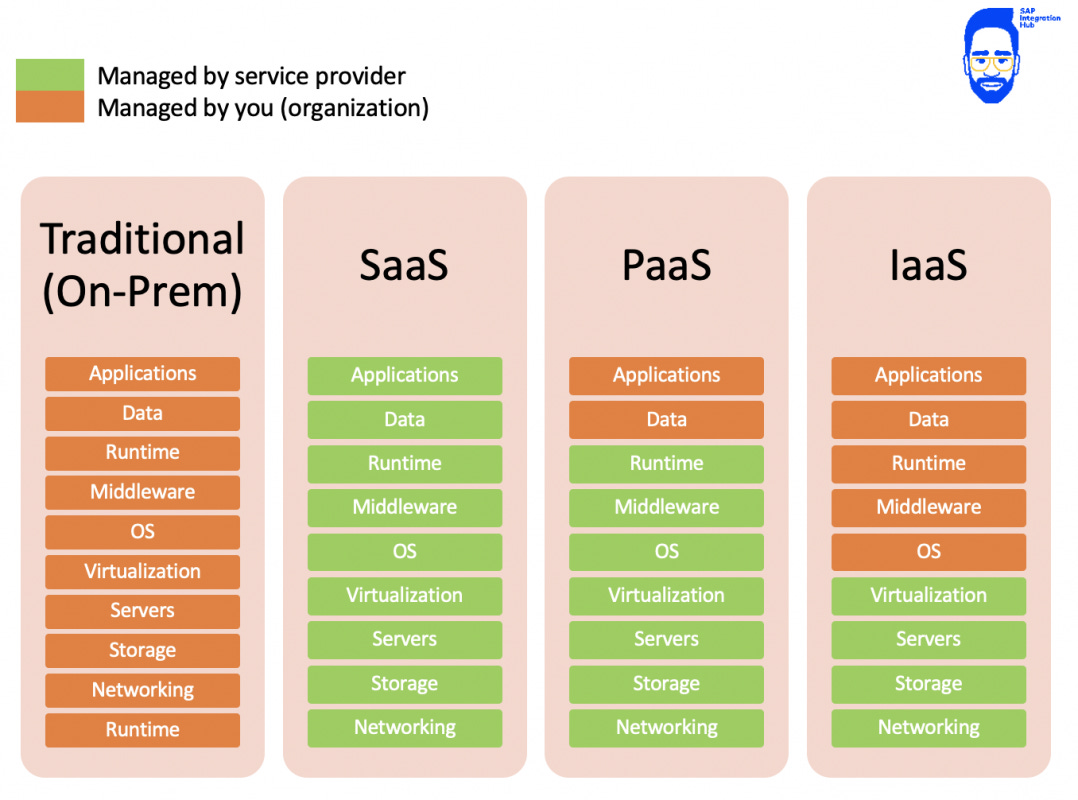
Cloud computing is the concept of delivering computing services and resources over the Internet. We broadly categorize computing services as applications, data, runtime, middleware, OS, virtualization, servers, storage, networking, and runtime. If one or more of these services are delivered via the Internet, we call it cloud computing.
The main advantages of cloud computing are lower cost, scalability, and performance. It has a lower cost since the hardware resources are shared without having to make an initial capital investment. It is also scalable since cloud recourses like storage and bandwidth can be easily scaled up based on organizational growing needs.
These recourses are provided by vendors on different pricing models, such as subscription-based, volume-based, or based on the number of users.
Advantages of Cloud Computing
Availability: You can access your solutions and services anytime from anywhere with any device. The same cannot be said for traditional computing.
Cost-effectiveness: Cloud computing allows organizations to avoid high costs of network implementation and hardware purchases. Additionally, you only pay for what you use which reduces IT costs.
Scalability: You can easily scale up or scale down your services and requirements in a shorter time period than traditional computing. Moreover, the scaling up can be done with minimum IT costs and capital costs for hardware purchases.
Simplicity: Another great advantage of cloud computing is the simplicity of use. Your IT team requires less effort when it comes to system updates, upgrades, and general maintenance.
Types of Cloud Computing
Cloud computing is categorized into three different types based on the kinds of computing services provided over the Internet.
Software-as-a-service (SaaS)
Platform-as-a-service (PaaS)
Infrastructure-as-a-service (IaaS)
In traditional computing, organizations have to manage their own computing recourses spanning from applications and data to storage and network.
Software-as-a-service (SaaS)
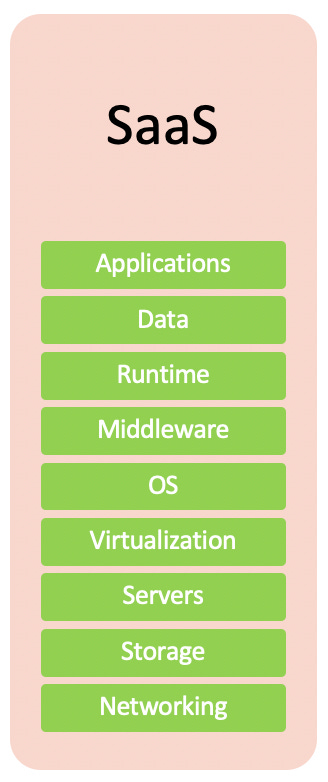
The main characteristic of SaaS is that the software is hosted centrally and delivered over the Internet. Users access the hosted applications through web browsers, mobile phones, tablets, etc. As you can see from the diagram, cloud application providers manage the application/data and underline infrastructure.
Customers can usually access these hosted applications on a subscription basis.
Some examples of globally-used SaaS products are SalesForce, MailChimp, and DropBox.
SaaS Offerings from SAP
SAP Hybris
SAP Business One Cloud
SAP Analytics Cloud
Ariba
Success Factor
Fieldglass
Concur
Platform-as-a-service (PaaS)
Platform-as-a-service refers to cloud environments that allow the development, testing, deployment, and management of applications. Developers can build custom applications without having to manage the underline infrastructure, such as servers and networks.
However, customers should manage the applications built on the platform, including their data.
Some of the widely used PaaS offerings in the world are Google App Engine, Red Hat OpenShift, and GitHub.
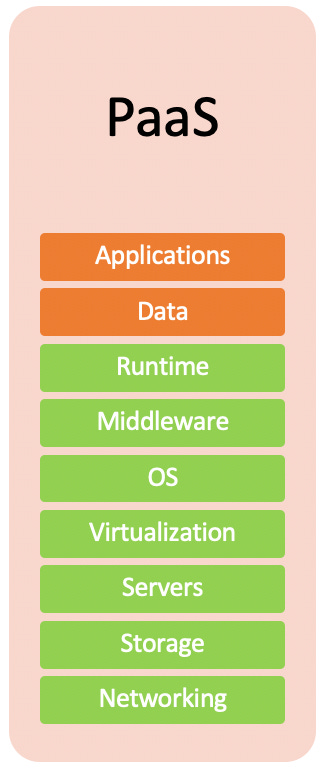
SAP Integration Suite (SAP CPI) is an integration platform-as-a-service (iPaas) offered by SAP. In Integration Suite, developers can build, test, monitor, and manage integration scenarios. Since the Integration Suite platform is integration-specific, the product belongs to a subcategory of PaaS called iPaaS, which stands for integration platform-as-a-service.
Infrastructure-as-a-service (IaaS)
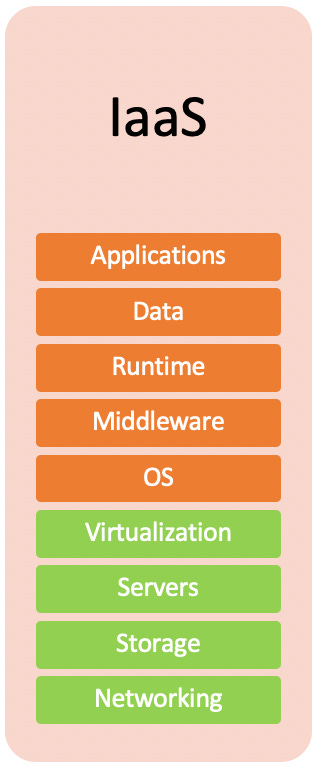
When it comes to IaaS, cloud service providers offer computing resources such as network, storage, servers, and virtualization on a pay-as-you-go basis.
SAP Hana Enterprise Cloud (HEC) is SAP’s proprietary IaaS product. Amazon Web Services (AWS), Cisco Metapod, Microsoft Azure, Google Compute Engine (GCE) are some of the other IaaS solutions available worldwide.
What is SAP Business Technology Platform?
Before we talk about SAP Integration Suite, we need to understand what is SAP BTP is. Because Integration Suite is part of SAP Product Suite SAP BTP.
SAP BTP, or SAP Business Technology Platform, is a comprehensive suite of integrated technology services offered by SAP. It provides businesses with a range of tools and services for application development, data management, and analytics, enabling them to build, deploy, and manage applications and solutions effectively.
Tools provided under SAP BTP falls under following catagories:
Database Management: SAP BTP includes database solutions like SAP HANA, an in-memory database that supports real-time data processing and analytics.
Application Development: The platform offers tools for developing custom applications, including SAP Fiori for user interface design and SAP Business Application Studio for a cloud-based development environment.
Analytics: SAP BTP provides advanced analytics capabilities, including SAP Analytics Cloud, which integrates data visualization, planning, and predictive analytics.
Integration: It supports seamless integration between SAP and non-SAP systems through services like SAP Integration Suite, enabling organizations to connect their applications and data across various environments.
Artificial Intelligence (AI) and Machine Learning (ML): The platform includes services for incorporating AI and ML into applications, allowing for automation and enhanced decision-making capabilities.
Extension and Customization: Businesses can extend and customize their existing SAP solutions using SAP BTP to better meet their specific needs.
Data Management and Governance: SAP BTP offers tools for managing and governing data across different sources, ensuring data quality and compliance.
SAP Integration Suite
Integration suite is the Integration Platform-as-a-Service (iPaas) product coming under Integration catagory of SAP BTP. SAP Integration Suite products allow organizations to build, deploy, and monitor end-to-end integration scenarios across heterogeneous landscapes.
These are the main capabilities of SAP Integration Hub:
Cloud Integration
Open Connectors
API Management
Event Mesh
Integration Advisor
Trading Partner Management
Integration Assesment (ISA-M)
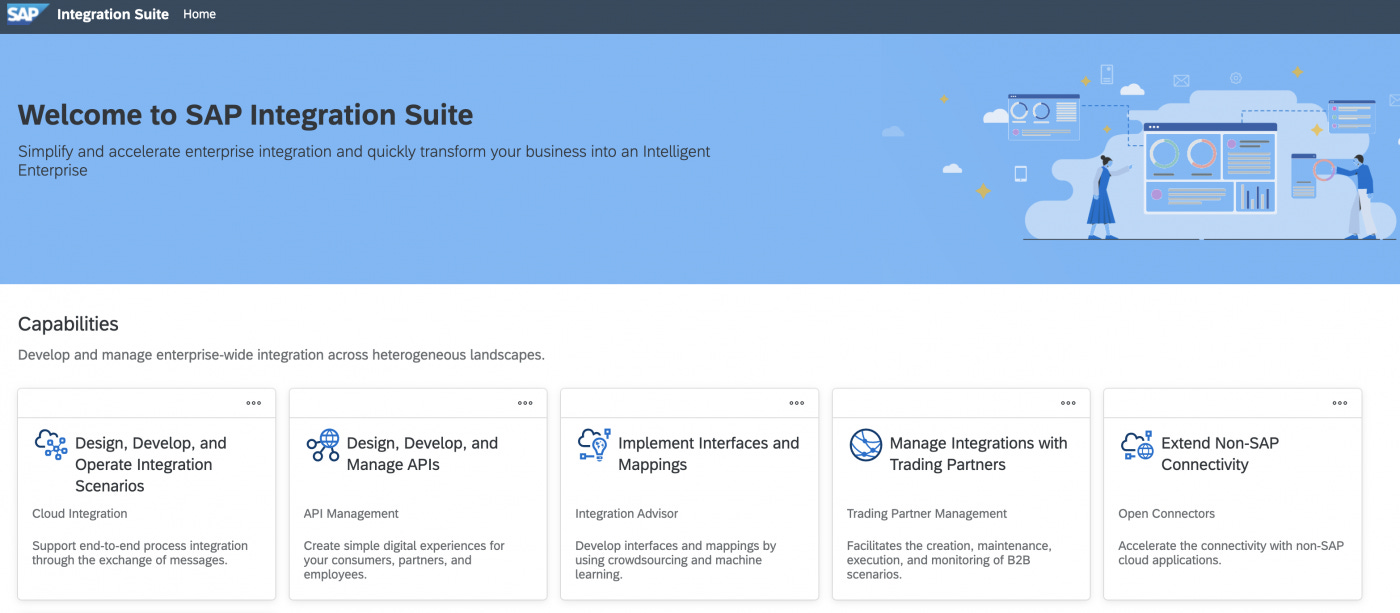
SAP Cloud Integration (CI)
CI provides a platform to build, implement and monitor end-to-end integration scenarios. We talked about integrated landscapes being more and more heterogeneous, CPI allows you to build end-to-end integrations on the following domains:
Cloud-to-Cloud
On Premise-to-Cloud
On-Premise-to-On-Premise
Moreover, CPI covers not only A2A and B2B integration scenarios but B2G (business to government) integration scenarios as well.
We can divide the features of Cloud Integration as follows:
Pre-built integration content
Vast range of connectivity options
Message processing
API-based integrations
Message monitoring and operation managment
Data storage
Pre-built Integration Packages (Out-of-the-box integrations)
SAP integration suite comes with more than 2000+ pre-built end-to-end integration scenarios. These pre-built packages can be reused in CPI with minimum configuration effort to activate integration solutions. EU VIES VAT validation is one such pre-built integration scenario SAP has provided out of the box.
Integration developers can import these pre-built artifacts, make necessary customizations, and deploy them.
Usually, you only have to import the integration artifacts and set up connectivity between the sender and the target systems to use these interfaces.
You can explore all the different standard integration artifacts provided by SAP in “integrations > Integration Flows” menu under API Business Hub.
For example, “Finance Tax Integration for Germany (UStVA)” is one such pre-built scenario provided with the standard integration flows. This integration package enables enterprises to transfer German tax-specific notifications to the authority (ELSTER).
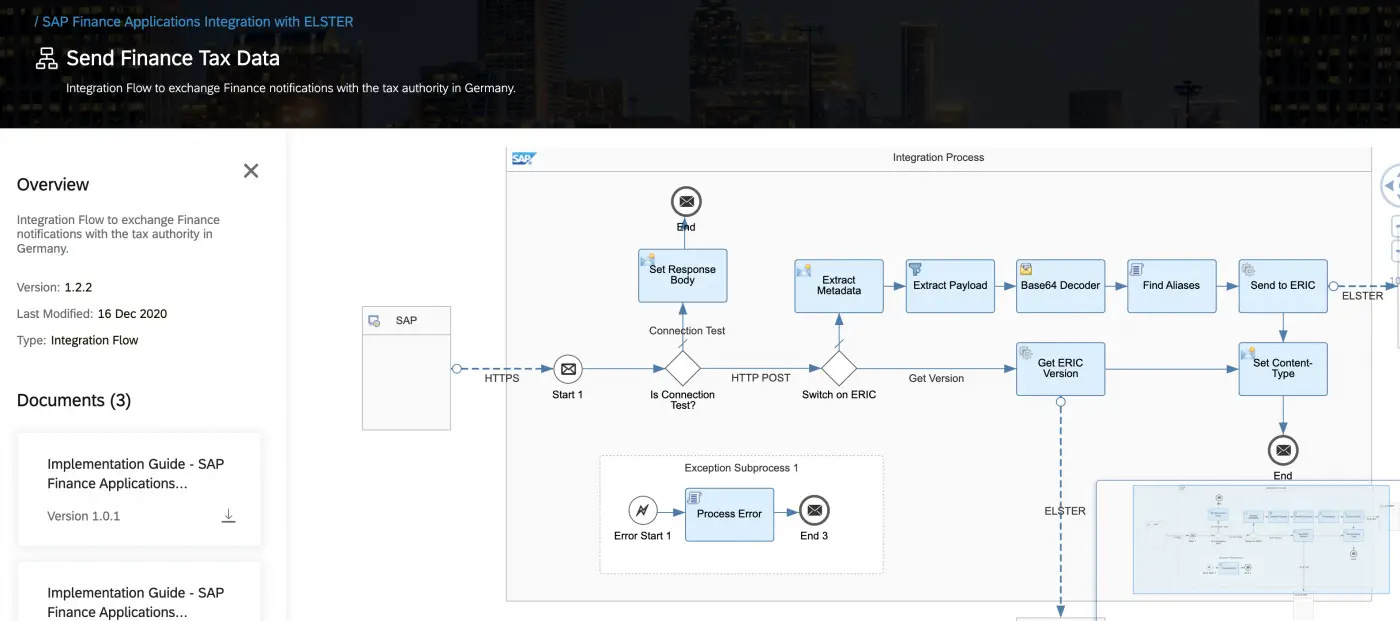
To use this B2G integration scenario, simply import the artifact, set up the connectivity to the SAP system, configure connectivity for ELSTER and complete the configuration SAP S4 HANA system.
I have written a complete guide on how to implement CPI pre-built integration artifacts in the linked article.
Pre-built Business-to-Government Scenarios
Here is an overview of the B2G integration flows provided by SAP at the moment.
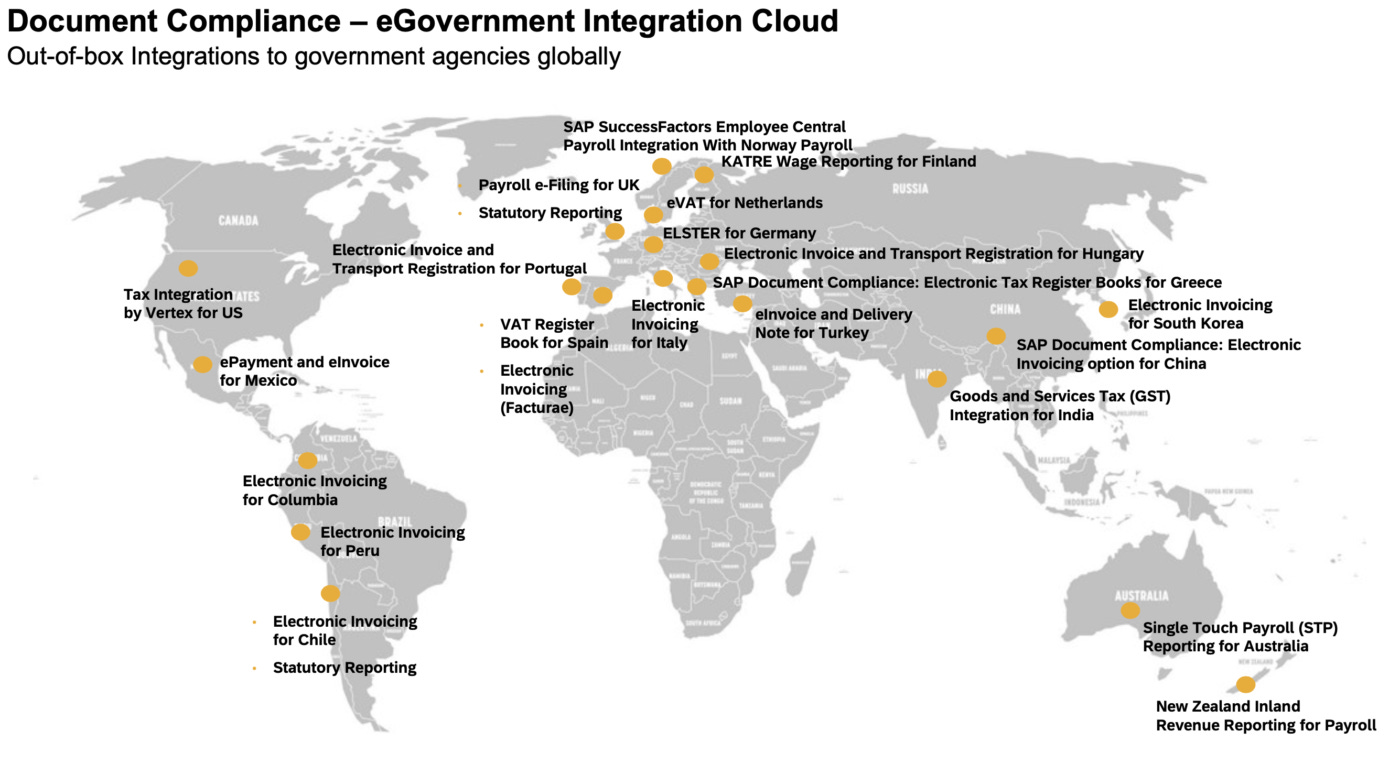
Moreover, developers can create their own integrations from scratch. When it comes to the deployment of integration scenarios, developers can choose different runtime environments. You can choose to deploy the interfaces in the SAP Cloud Integration runtime environment (runs on
an SAP BTP tenant) or SAP Process Orchestration (on-premise) runtime environment. The latter is compatible with the release of SAP Process Orchestration 7.5 SP 0 and higher.
Connectivity Options
SAP Cloud Integration has a vast set of adapters that can connect external applications and systems. The following out-of-the-box adapters are available in CPI:
Amazon Webservices
AMQP
Ariba
AS2
ELASTER
FTP/SFTP
HTTP/HTTPS
JMS
KAFKA
Mail
OData
RFC
Process Direct
SOAP
Success Factor SOAP, REST and OData
WorkDay
Salesforce
ServiceNow
Message Processing
Message processing is one important role of middleware.
Here are some of the main message processing and message transformation capabilities of SAP CPI.
Message Mapping
Transforms the data structures of sender and receiver.
Graphical user interface supports XSD and EDMX formats
Custom script-based message mapping via Groovy script
XSLT mappings
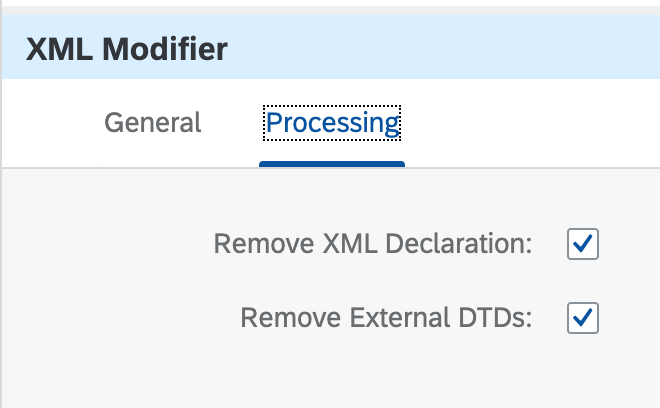
XML Modifier
Allows to remove external DTDs and other XML declarations
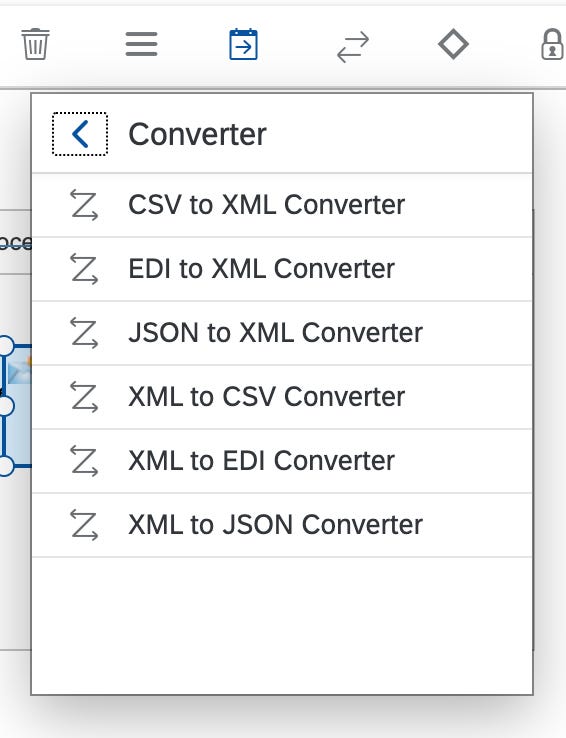
Converter
Converts one message format to another.
The following standard converters are available in CPI:
XML to JSON
JSON to XML
XML to CSV
CSV to XML
XML to EDI
EDI to XML
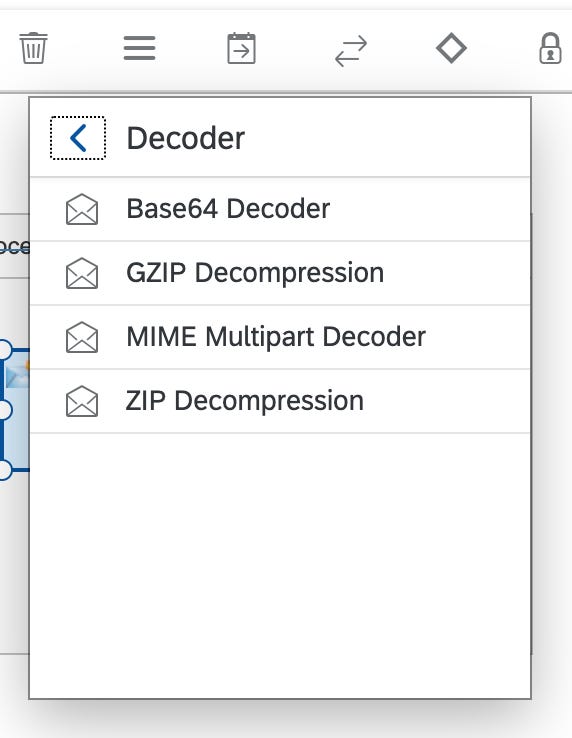
Decorder
Decodes the incoming message to unlock the original message.
These are the standard decoders available,
GZIP Decompress
ZIP Decompress
MIME Multipart Decode
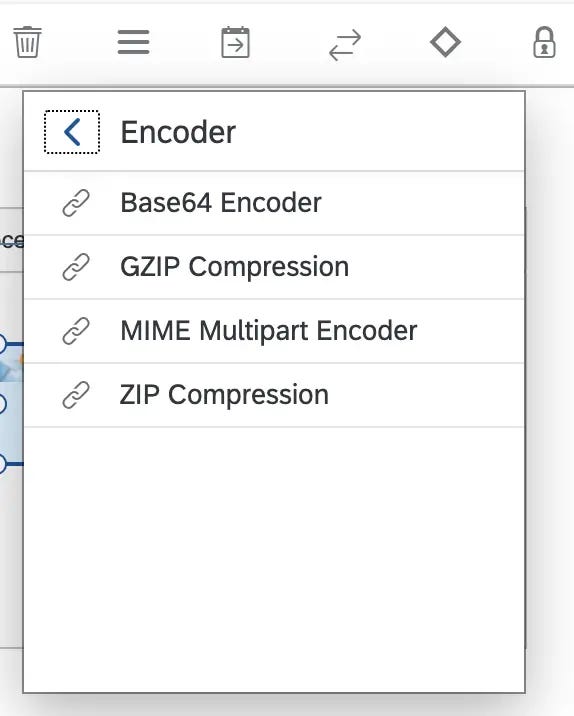
Encoder
Encodes the original message. Here are the standard encoders provided by SAP with CPI.
GZIP Compress
ZIP Compress
MIME Multipart Encode
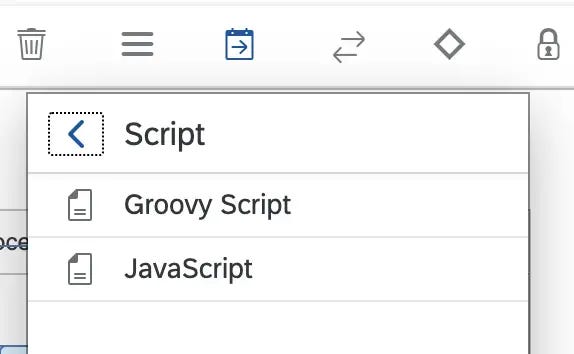
Script
Transports messages using JavaScript or Groovy scripts.
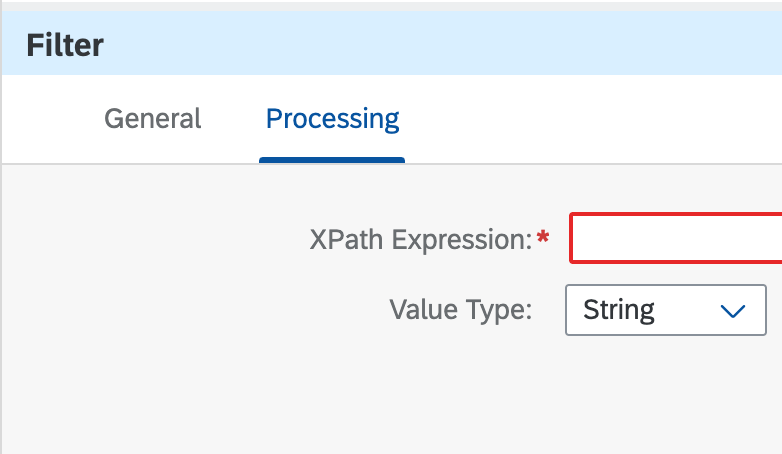
Filter
Filters information based on XPATH expressions.
API Management
As the name suggests, SAP API management components allow organizations to discover, develop, test, and publish APIs. The main goal of API management is to serve as a self-service platform to access the data and services of companies.
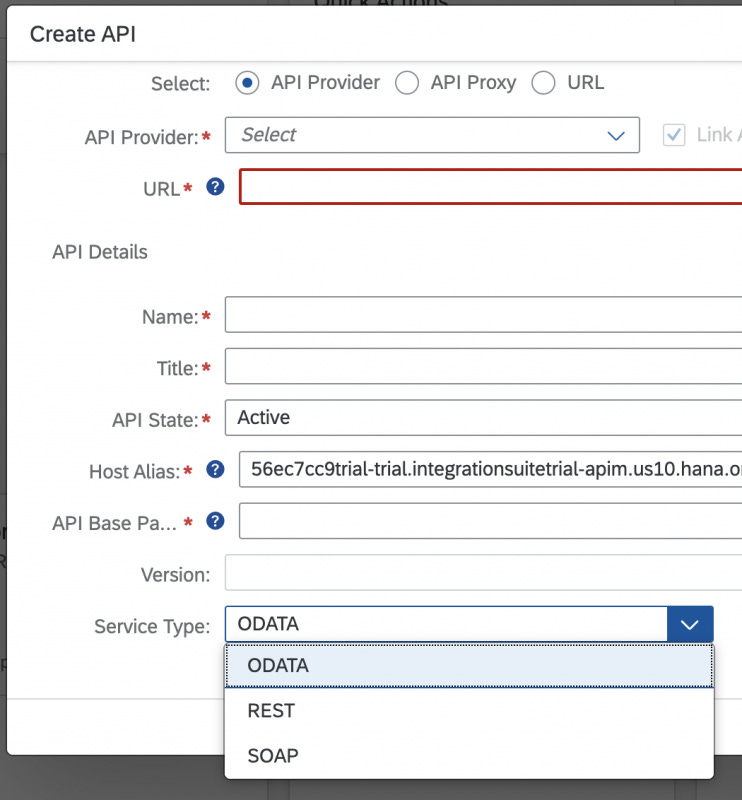
APIs can use either Odata, REST, or SOAP protocols.
Key Features of SAP API Management
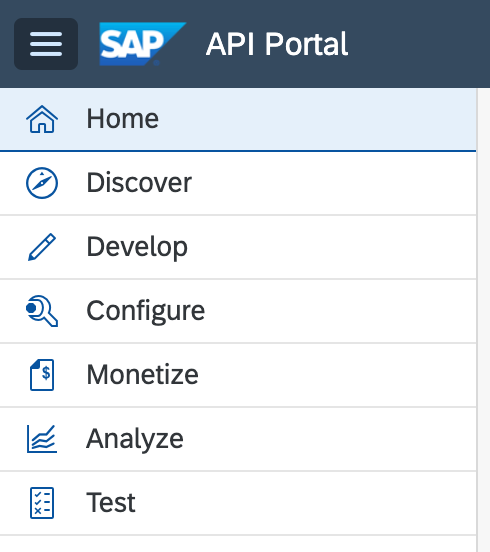
Building APIs – The API portal offers capabilities to build, publish, analyze and test APIs.
Publishing APIs – You can bundle interrelated APIs as a product.
Consuming APIs
Monatizing APIs – Not only organization can build and pushlish their own APIs, they can also generate revenue by monatizing the consumption of their APIs. Organizations can build a rate plan to a product to generate revenue based on sumption of the APIs.
Analyzing APIs – The runtime data of an API can be analyzed to better understand the patterns on API consumption. It allows developers to analyze runtime perofmance of an API and key-performance-indicators (KPIs) graphically.
Open Connectors
The open connector concept standardizes and centralizes the connectivity solutions for different third-party applications.
As of now, SAP has provided more than 160+ third-party application connectors out of the box. SAP keeps introducing new connectors, hence, this number keeps growing.
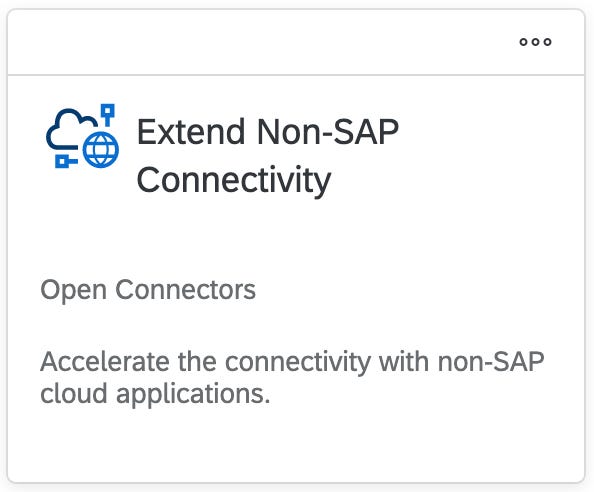
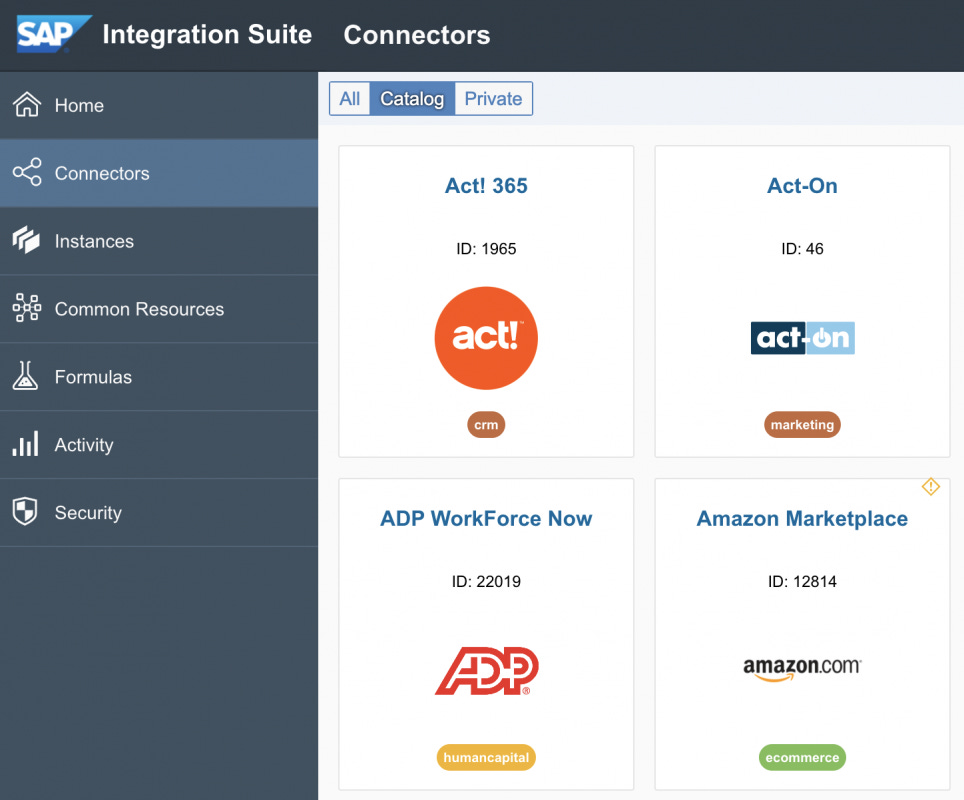
The pre-built connectors range across such services as eCommerce, Messaging, CRM, helpdesk, and other application types. These connectors link SAP and non-SAP applications.
For example, Shopify, ADP, SalesCloud, Workday, and DocuSign are some of the non-SAP applications for which connectors are provided by CPI. Facebook, Twitter, Instagram are some of the social platforms covered by the open connectors concept.
You will be able to find the full list of non-SAP application connectors provided by CPI here.
Additionally, there are connectors of SAP applications such as SAP Success Factor, SAP Concur, and SAP Ariba.
Full Catalog of Open Connectors Provided by Integration Suite
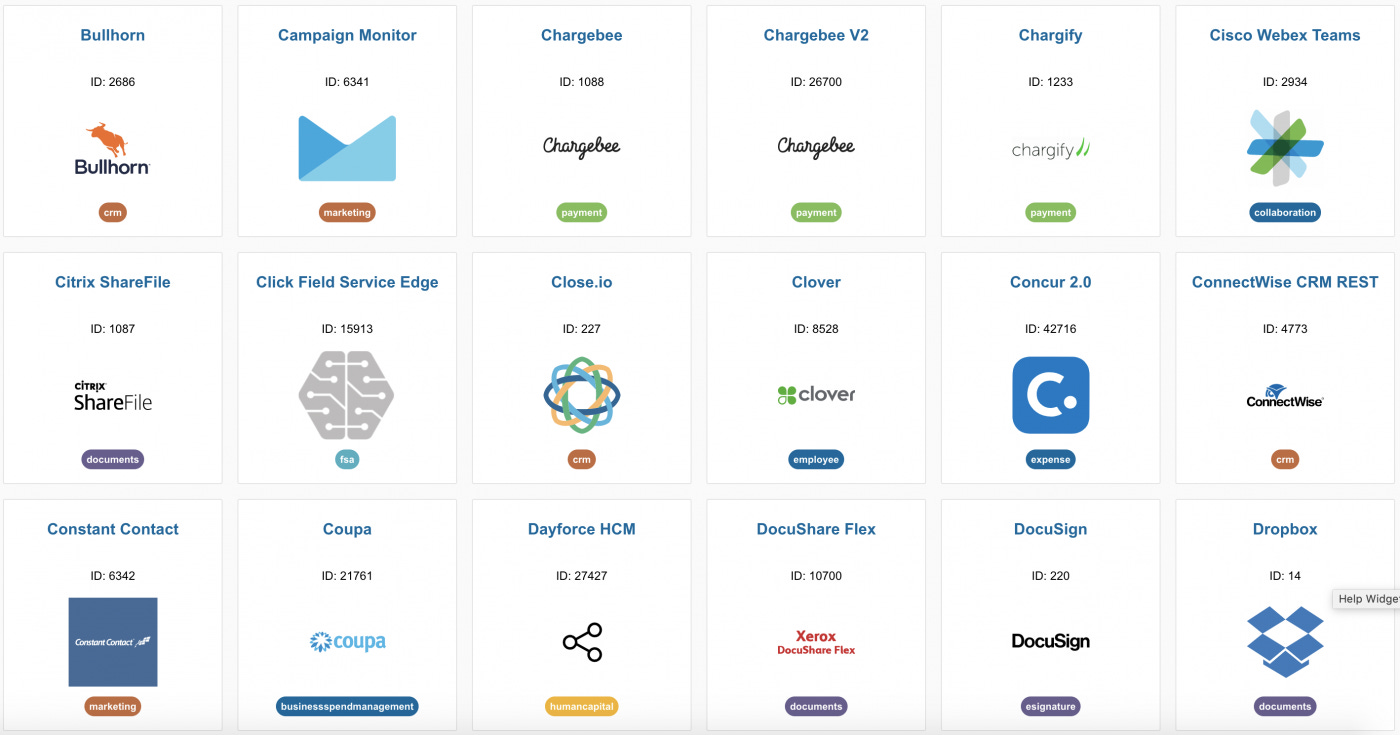
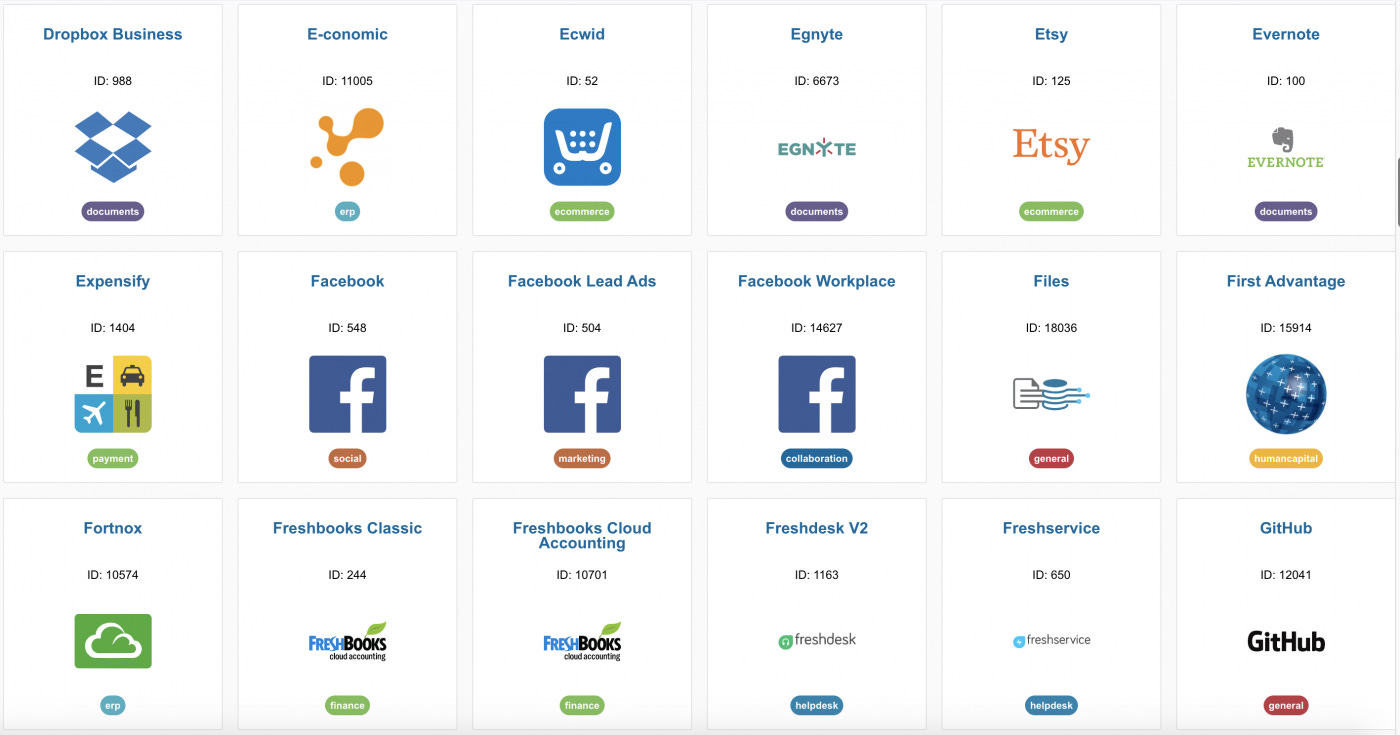
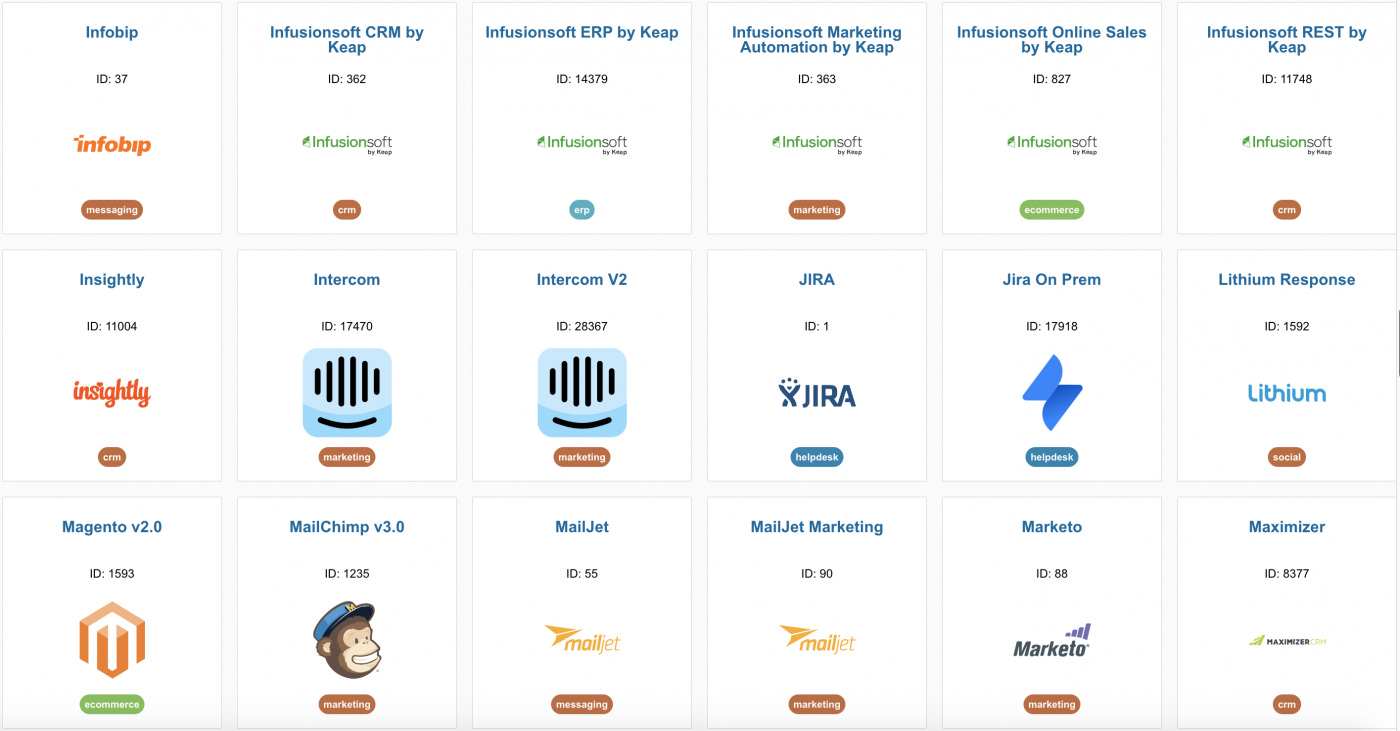
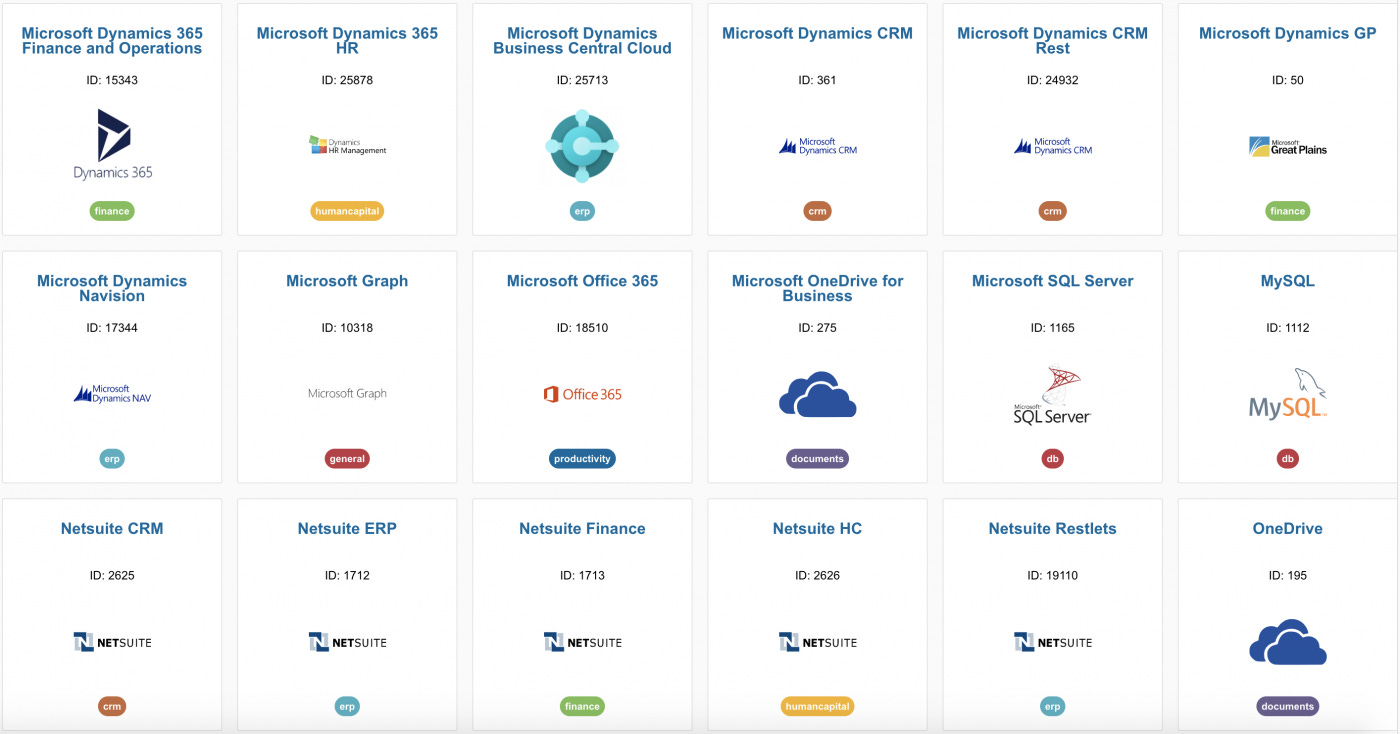
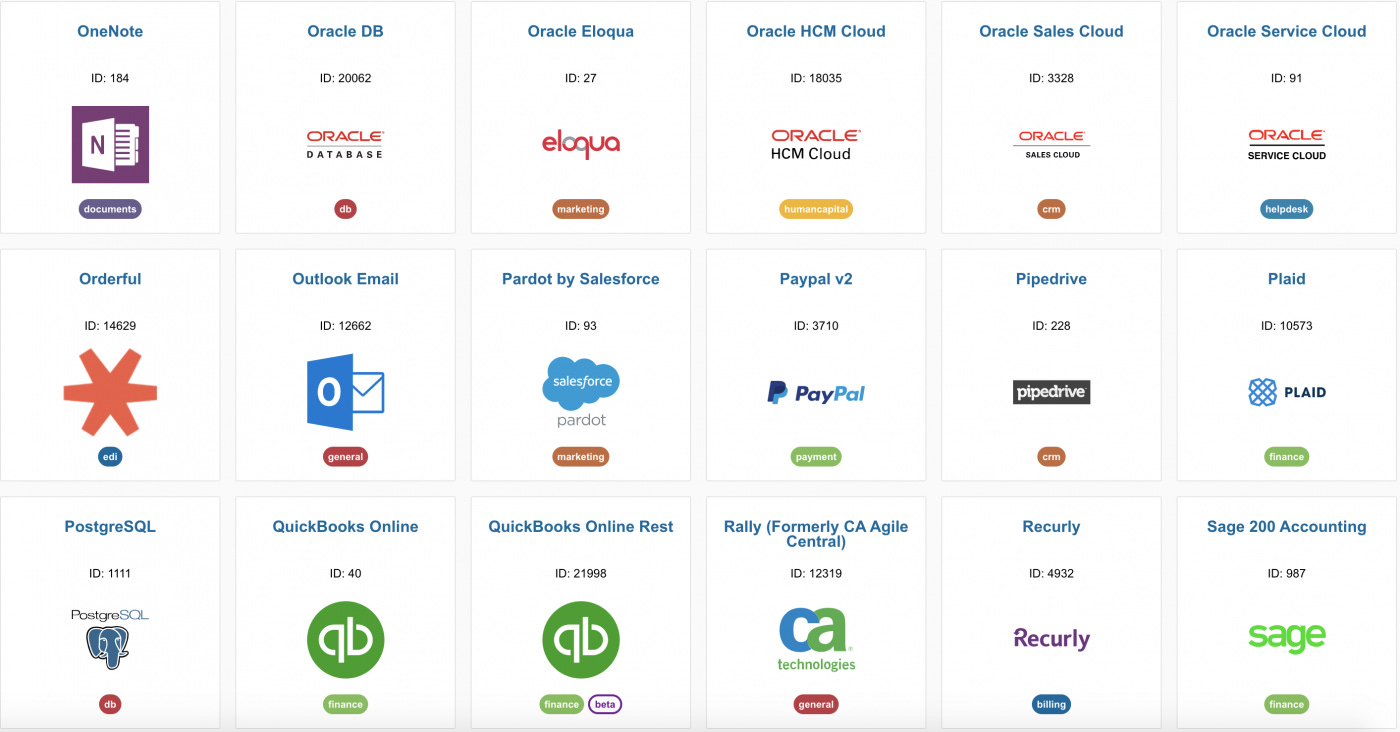
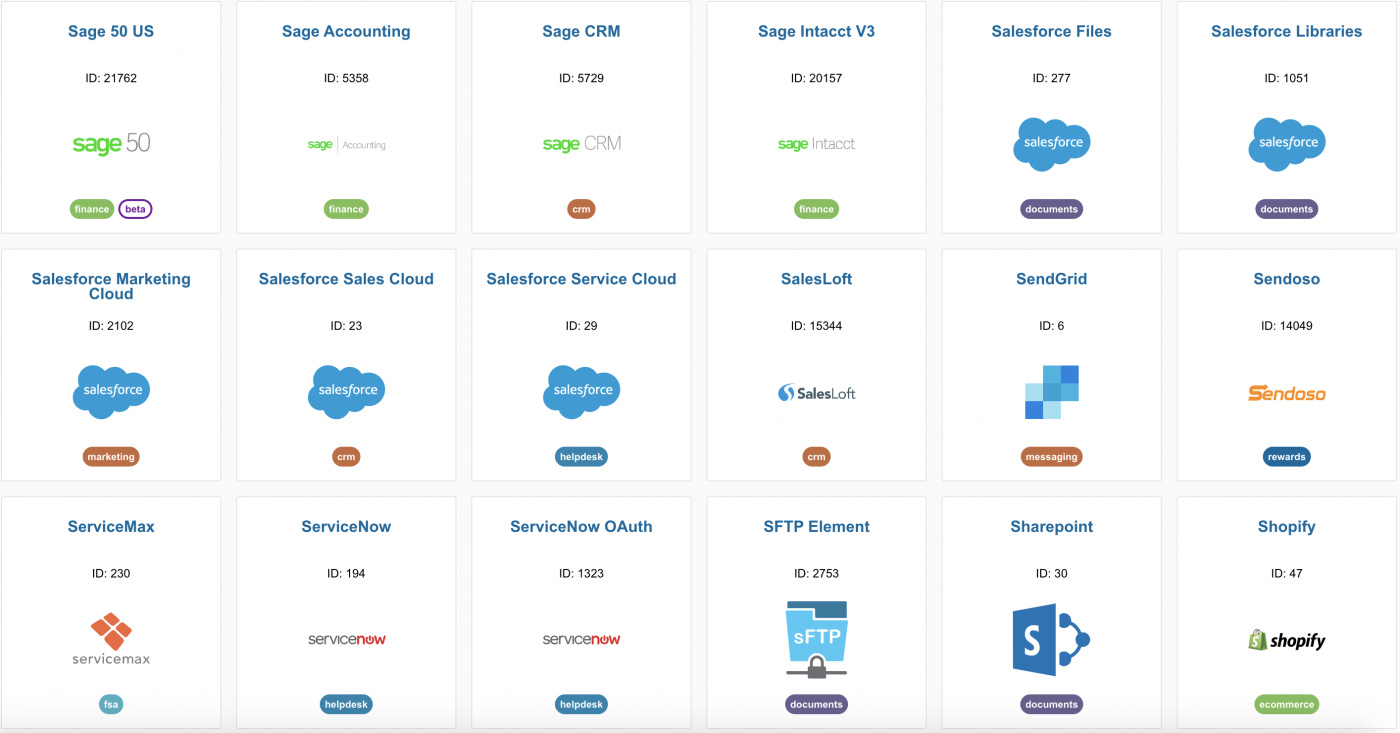
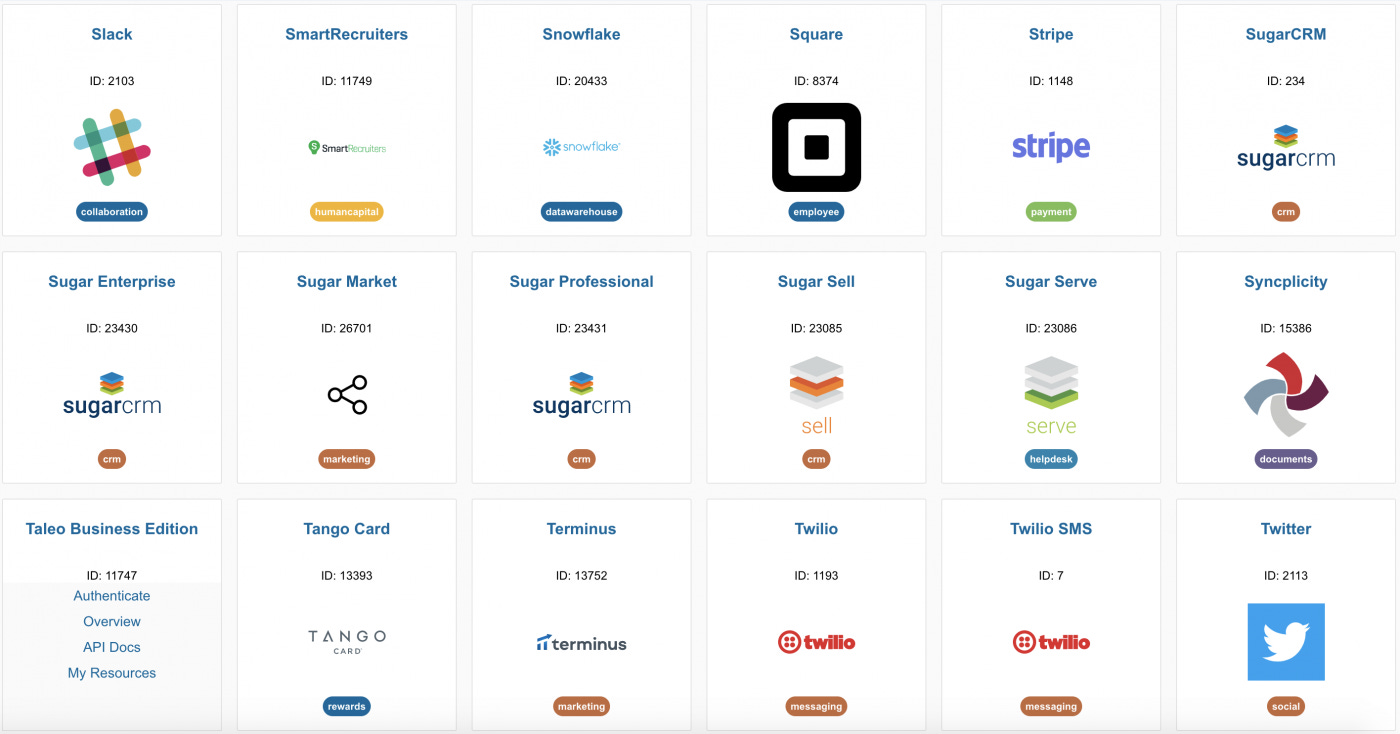
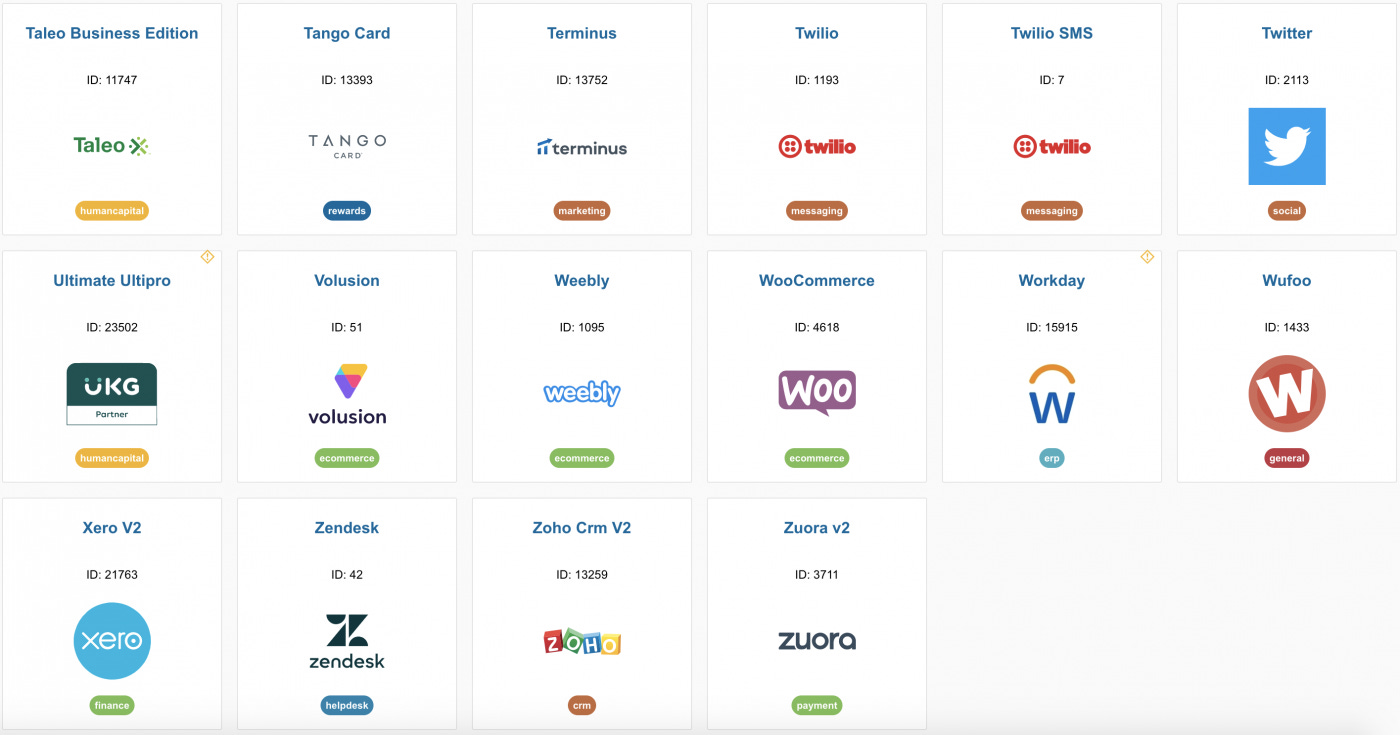
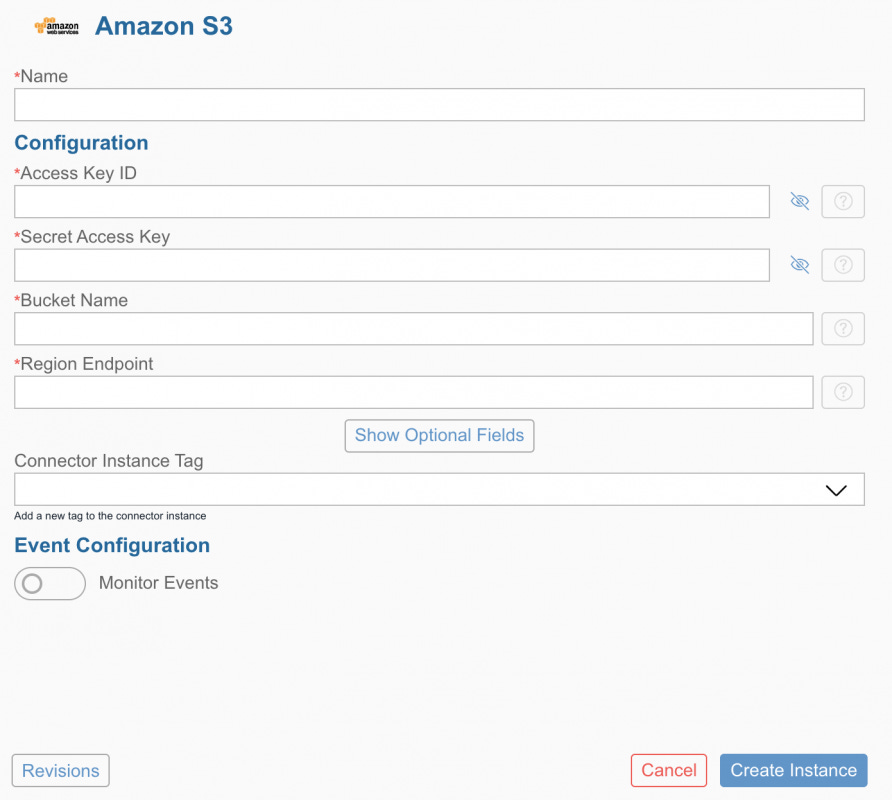
Developers can easily create an instance of a connector they would like to use and provide authentication to establish connectivity.
Event Mesh
Event Mesh aims to eliminate peer-to-peer message communication between systems and applications with the use of a central message broker and event-driven architecture. Applications and systems can interact with each other through events. Event Mesh enables the exchange of messages reliably with multiple receivers. The major advantage of the Event Mesh architecture is scalability. New message receivers can subscribe to messages and consume them securely and reliably.
Simply put, the concept of Event Mesh looks like this. First, the message sender application publishes messages generated from different business process events in a central message broker under different message queues. For example, an event can be a sales order created, a material master record changed, a delivery updated, etc. Message receivers that have subscribed to these events (messages queues) will notice them, then the receiver can consume these messages at their own convenience. Since the messages are posted and consumed asynchronously, sender or receiver systems do not need to wait for responses from each other to exchange messages.
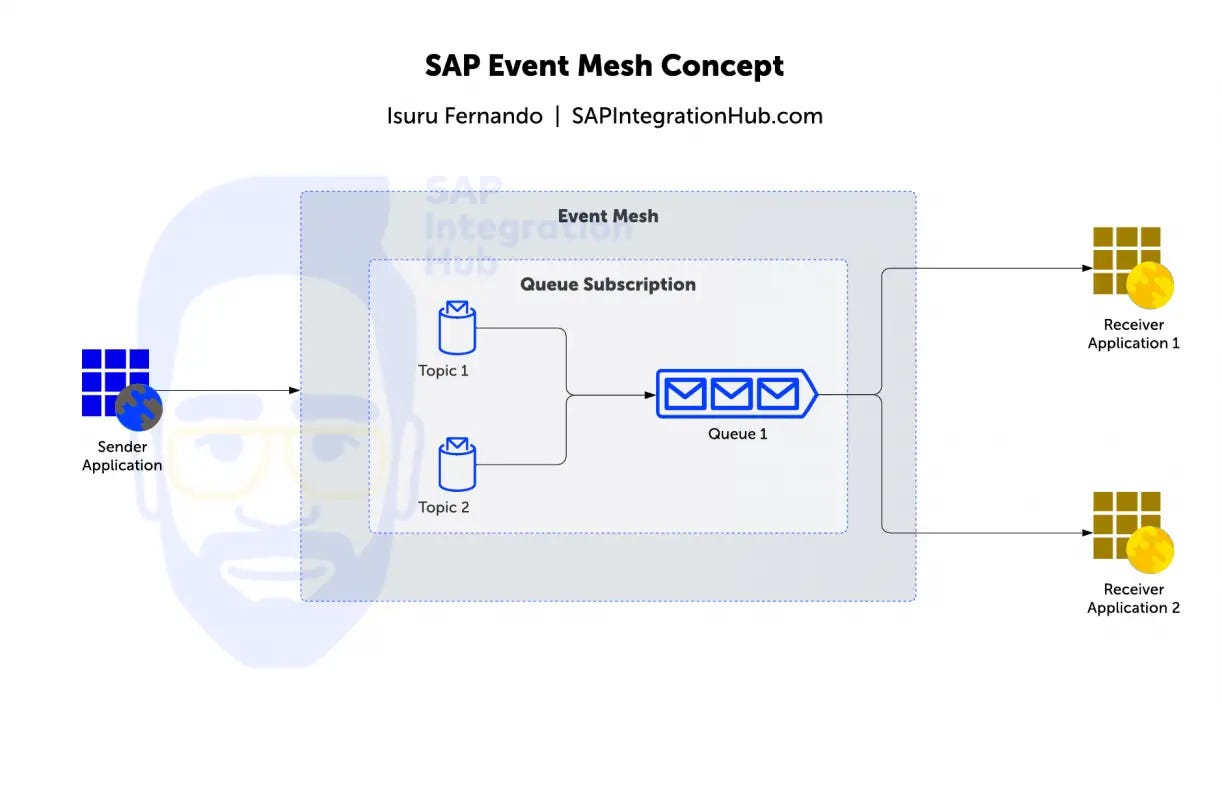
On a more technical note, Event Mesh can use the following technologies as message transfer protocols:
Advanced Messaging Queuing Protocol (AMQP) allows message orientation, queuing, routing, reliability and security.
Message Queuing Telemetry Transport (MQTT) is recommend for applications not running on cloud.
HTTP 1.1 REST makes use of REST APIs to post and consume messages via queues and topics.
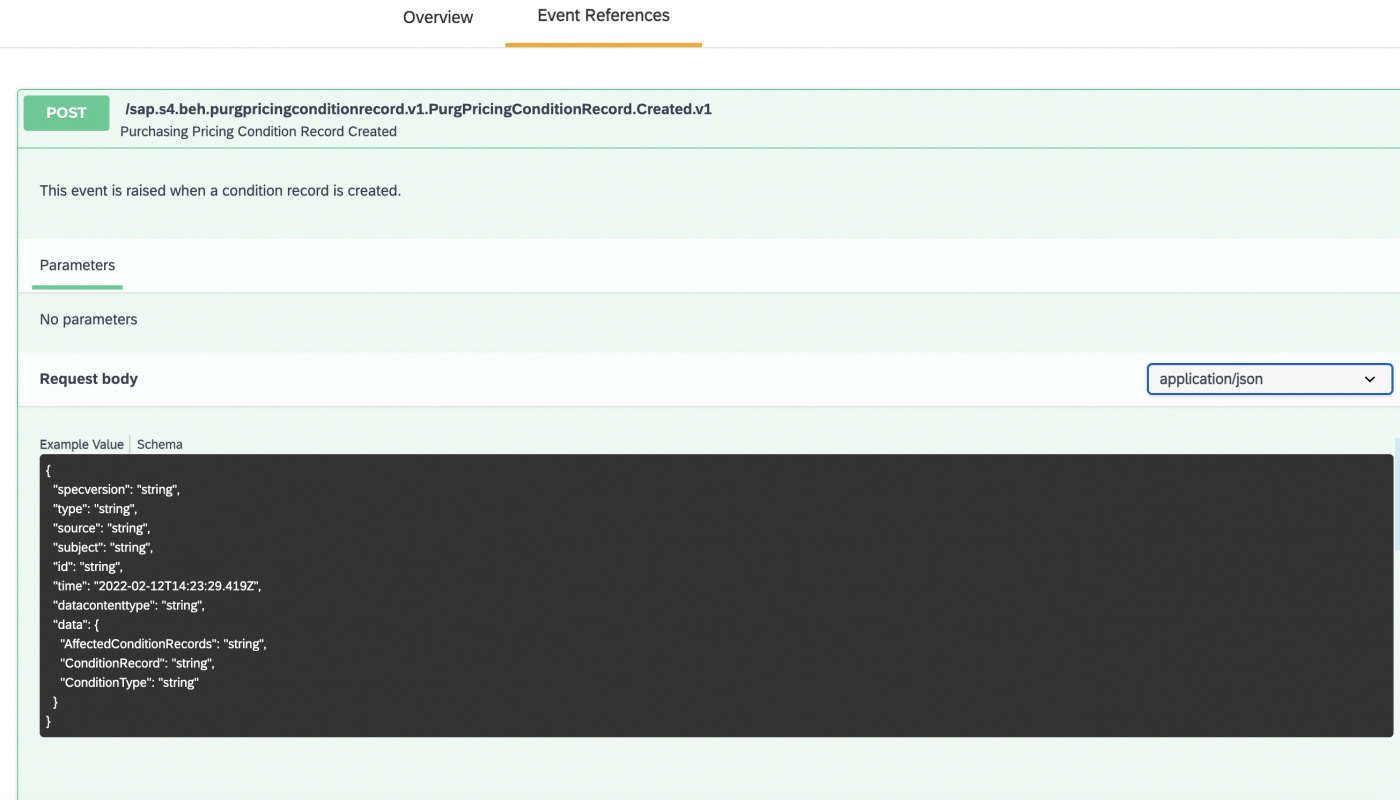
Go to SAP API Hub and then to the event subsection to explore the different events provided by SAP.
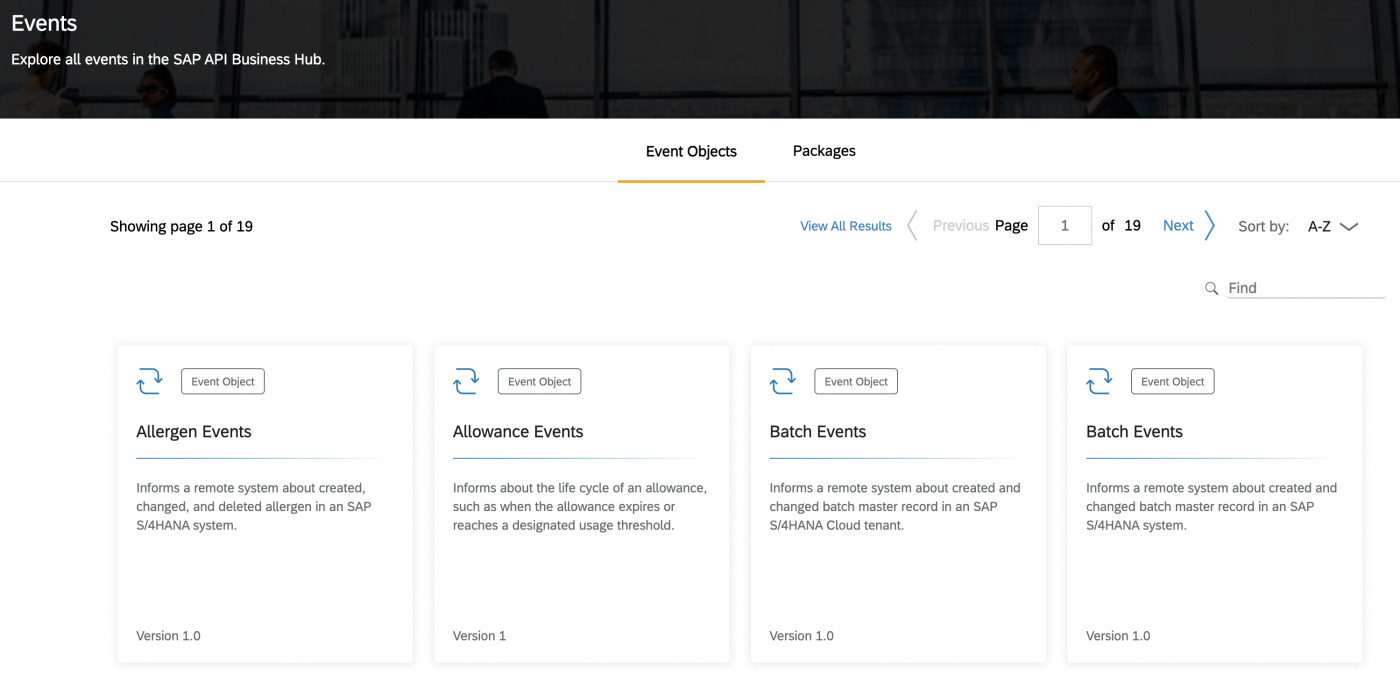
Let’s explore one such event in detail. Here we have the events of “Purchase Price Condition”. The different business events related to the Purchase Price Conditions are,
Validity Period Changed
Changed
Amount Changed
Ratio Changed
Created
Deleted
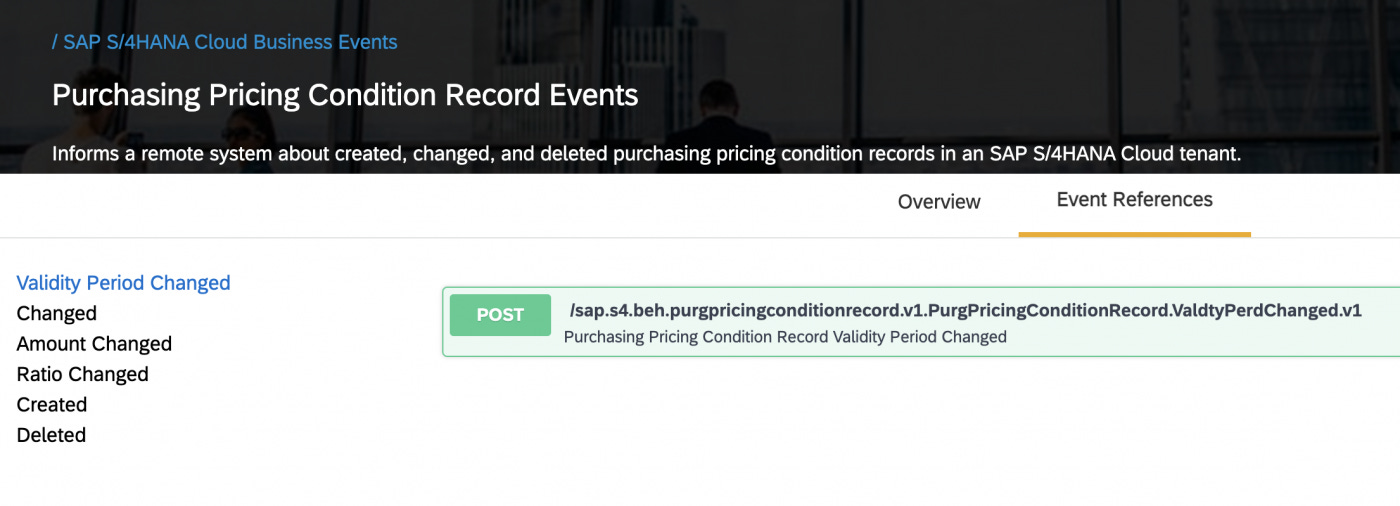
You can use the POST method of the event to push the event information to topics and queues for receivers (subscribers) to consume.
Here we have the POST method that will be raised when a new purchase price condition is created in SAP.
Environments for Integration Suite
Different environments are available for you to access services of SAP CIntegration Suite.
They are,
NEO environment
Cloud Foundry environment (CF)
Going forward, we will not be able to use the NEO environment, and the CF environment should be used for future use cases. However, the NEO environment will be available for legacy purposes and the integration artifacts created on the NEO environment are compatible with the CF environment.
There are certain limitations to the CF environment as well, those limitations can be found in SAP note 2752867.
CF is publicly available, it makes use of open-source languages such as Node JS, Jaxx, etc. But you can choose to run any open-source language available, hence the CF environment is language independent.
SAP has implemented CF on SAP BTP for easy access to services.
Buildpacks and Services of CF
A container that runs an application is known as a buildpack. CF offers multiple standard buildpacks. Additionally, you can use GitHub buildpacks for CF.
CF service is a set of programs offered for different runtime environments. As an example, services such as databases, message logging, and other common services are included here.
Developers can deploy new services under the “service marketplace” of the SAP BTP cockpit.

Cost of CPI and Integration Suite
As we discussed earlier, the Platform-as-a-Service model of Integration Suite allows enterprises to pay based on the use.
There are three main pricing models for Integration Suite:
Pay-As-You-Go for SAP BTP pricing
Cloud Platform Enterprise Agreement (CPEA)
Subscription-based-pricing
You can calculate the cost of different usage options in Integration Suite price calculator.
If you are still evaluating middleware options and want to have a more detailed look at the options of Integration Suite and Integration Suite, you can create a trial license. The Trial license is free to use for 30 days.
Migrating from SAP PI/PO to Integration Suite
With the introduction of Integration Suite, enterprises with existing SAP PI/PO installations have to re-evaluate the future architecture of their integrated landscape.
Here are some of the key points to consider when it comes to future use cases of PI/PO and Integration Suite.
Should they continue to use PI/PO for new cloud integrations or should they use Integration Suite instead? If they are using both PI/PO and Integration Suite, what are the use cases of both? How to model future cloud-based integration and on-premise integration scenarios? What is the cost of migrating PI/PO integration scenarios to Integration Suite? The cost of Integration Suite license?
Advantages of Migrating to Integration Suite
Support ending for SAP PI/PO
Cloud integration capabilities of Integration Suite
Message-volume-based licensing model
Trouble-free maintenance
Challenges when migrating to Integration Suite
Lack of SAP Integration Suite experts
Limited on-premise integration features on Integration Suite
Complexity of migrating exisiting integration flows from PI/PO to Integration Suite
Region restrictions when it comes to exchanging data across Internet
Together with the INT4 team, we have written a comprehensive guide on what to consider when migrating to Integration Suite, as well as a detailed description of the advantages and disadvantages. Moreover, you will find the lessons learned from our system migration projects in the same article.
To conclude, we looked at the concept of cloud computing concepts: SaaS, PaaS, and IaaS. Then we looked into SAP product strategy that addresses the integration needs of heterogeneous landscapes. Next, we took a deep dive into SAP API business hub and SAP Integration Suite. Additionally, we went through the functionalities of Integration Suite, such as cloud integration, API management, open-connectors, and Event Mesh.
We also found out the use cases and features of NEO and CF environments.
Finally, we talked about the license model of Integration Suite and migrating to Integration Suite from SAP PI/PO.
If you enjoyed the article, please leave a comment below on the topics we discussed.
The post Introduction to SAP CPI and Integration Suite appeared first on SAP Integration Hub.