


📚 SAP AIF Configuration Series - Guide #3
We are configuring value mappings on top of the iDoc interface we developed in our previous guides.
If you are new here and would like to see the previous articles, check out the following guides.
Value mapping in SAP Application Interface Framework (AIF) is a mechanism used to translate incoming external values into internal SAP-compliant values during message processing. Or vise-versa from internal SAP values to external values.
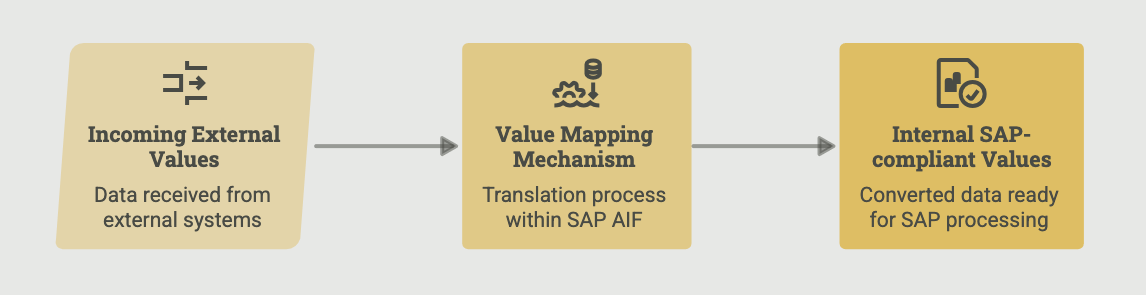
It’s needed because different source systems often use different coding or naming conventions than SAP. Value mapping ensures that these external representations are converted into the correct internal values, so the data can be processed without errors and remains standardized across interfaces.
Scenario
In this example, let’s assume the external system sends us the passenger (customer) master information with the title as MISTER or MISTRESS.
However, when we create the customer master data, we don’t want to use these external values in the title; instead, we want to save them as Mr. and Mrs.
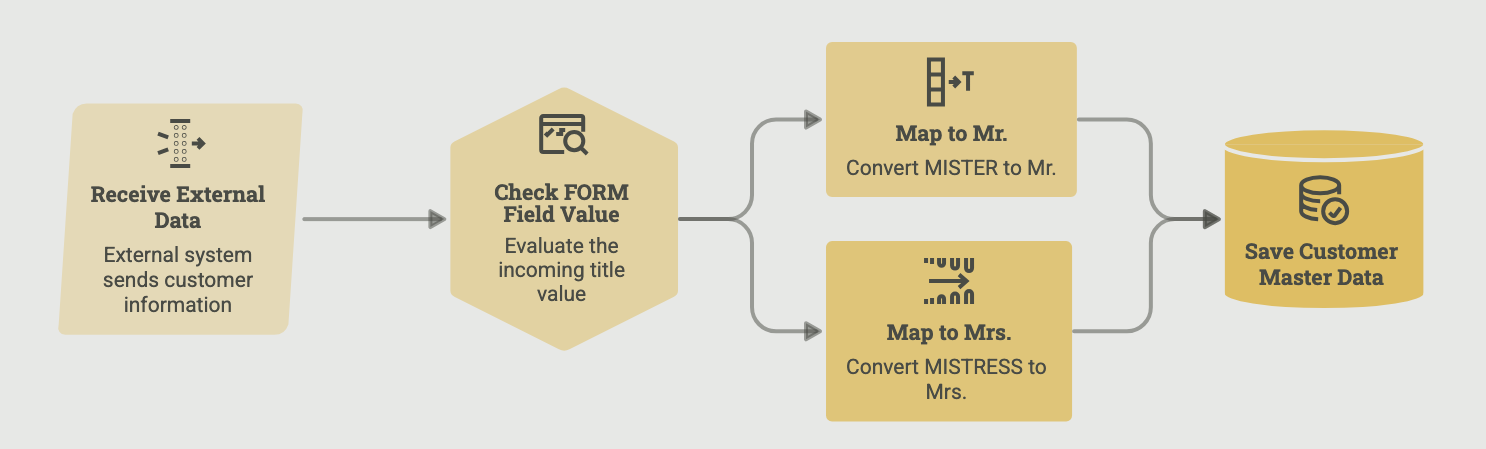
We’ll create a value mapping for the FORM field in the iDoc.
The external values are converted into standard internal SAP values as follows:
MISTER → Mr.
MISTRESS → Mrs.
This ensures that incoming data is normalized during processing, regardless of how the external system represents the salutation.
Step 1 - Define Value Mapping
Transaction: /AIF/CUST -> Interface Development -> Define Structure Mappings -> Define Field Mappings
In Define Structure Mappings -> Define Field Mappings, create a new entry.
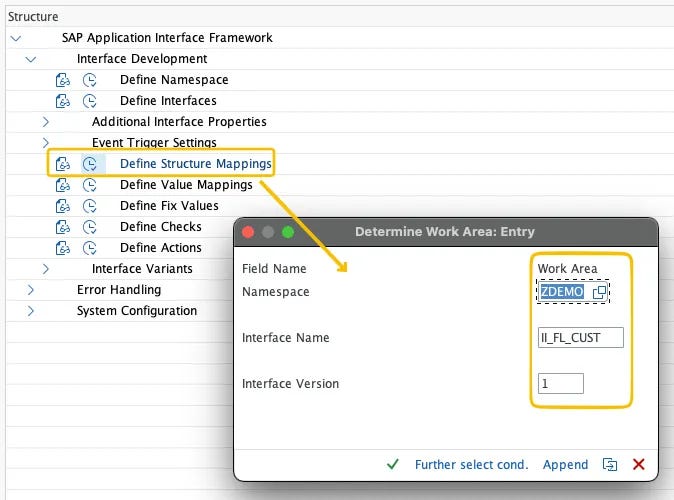
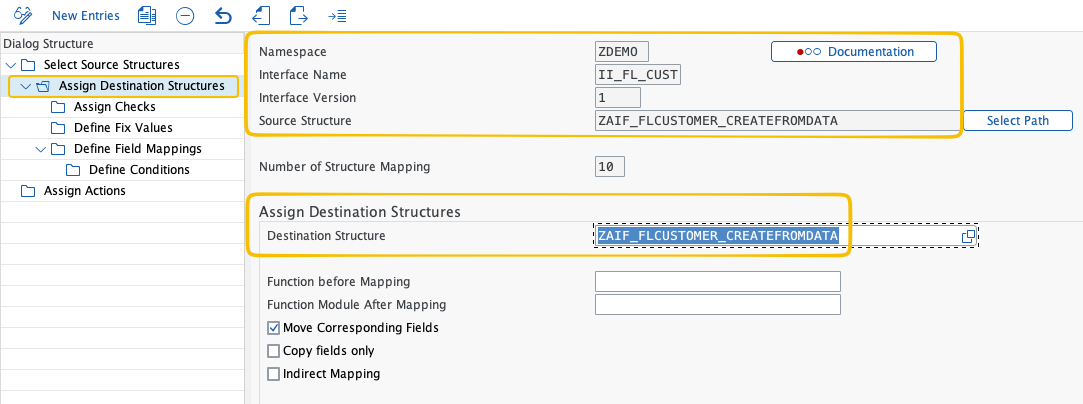
/AIF/CUSTMake sure the destination structure is mapped correctly. We created this mapping in the previous example for Fixed Values.
⚠️ Warning
Make sure the interface
II_FL_CUSTin namespaceZDEMOis already working before you start this step.The value mapping you’re about to create sits on top of the structure mapping from the Fixed Values chapter, so that needs to be in place first.
Maintain the following values under Define Field Mapping:
Field in Destination Structure:
E1SCU_CRE-E1BPSCUNEW-FORM— the field you’d like to transformField Name 1:
E1SCU_CRE-E1BPSCUNEW-FORM— the field you’d like to transformNamespace:
ZDEMOValue Mapping:VM_FORM— the name of the new value mapping table
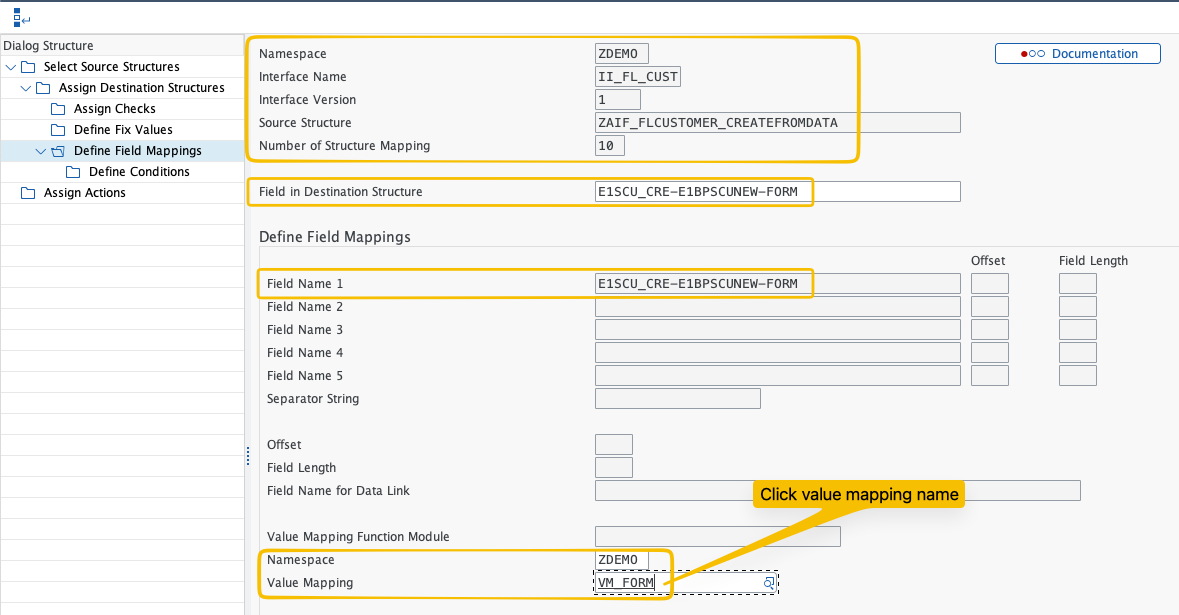
VM_FORM in namespace ZDEMO.💡 Tip
You can select the field from the drop-down.
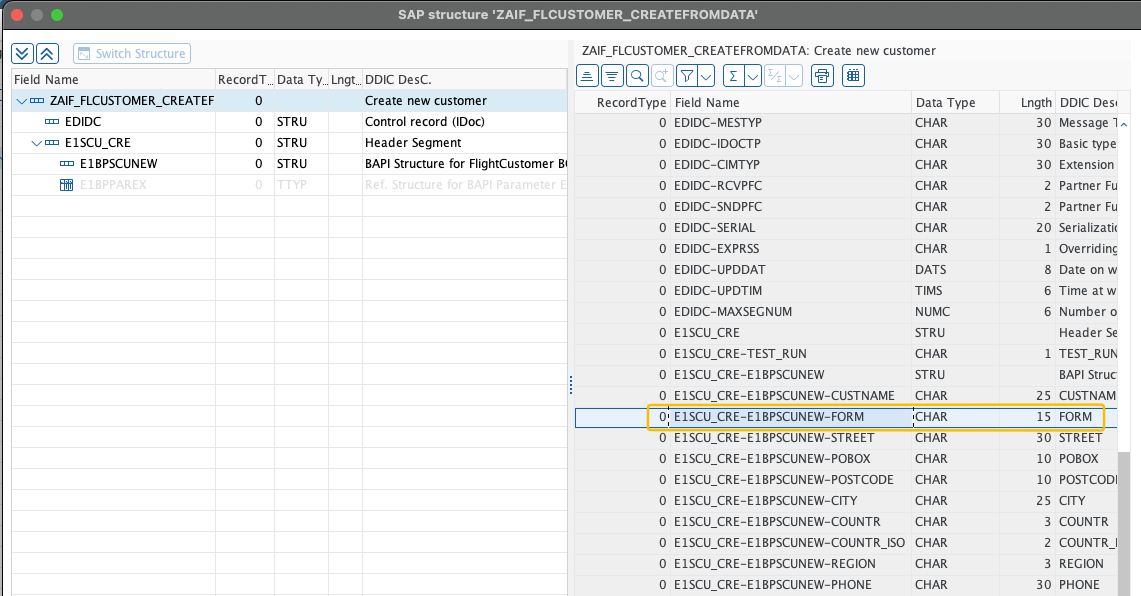
Since the value mapping doesn’t yet exist, you’ll be prompted to create it.
Confirm the dialog.

VM_FORM doesn't exist yet, AIF prompts to create it - confirm to open the value mapping maintenance session.Then define the value mapping with the following settings:
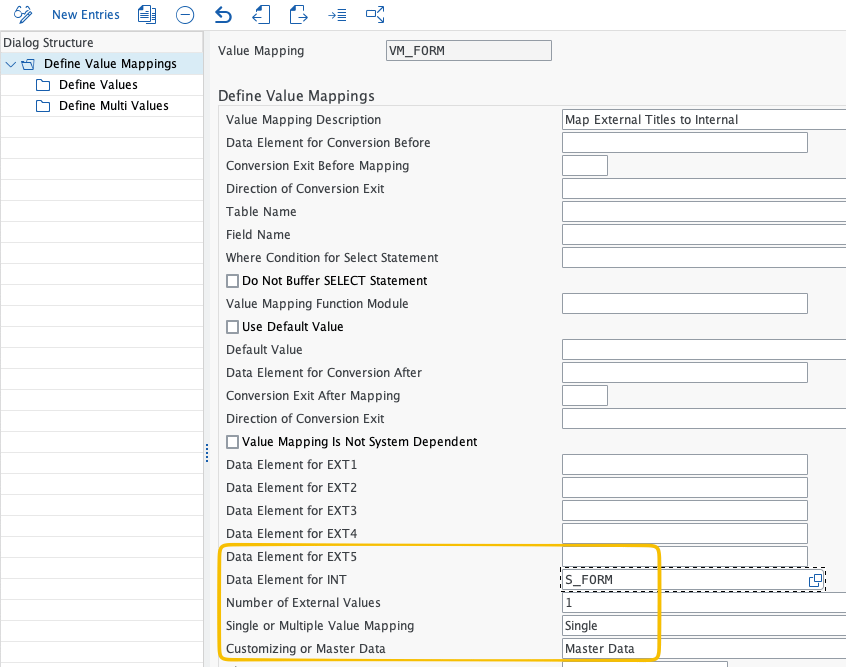
Value Mapping Description: Map customer form (salutation)
Data Element for INT:
S_FORMNumber of External Values:
1Single or Multiple Value Mapping: Single
Customizing or Master Data: Master Data
💡 Customizing or Master Data?
This controls how and where the mapping values are maintained.
Master Data - values are maintained at runtime directly in transaction
/AIF/VMAP. They’re client-dependent, meaning each client manages its own set of mapping values. Use this when the mapping is likely to change over time or differs between clients (e.g. sandbox vs production).Customizing - values are maintained in the IMG and transported like any other Customizing entry. Use this when the mapping is stable and needs to be consistent across all clients through the transport landscape.
For most real-world interfaces, Master Data is the more practical choice because business users or support teams can update the values directly in
/AIF/VMAPwithout needing a transport.
Our AIF eBook with a full collection of these guides is coming soon!

