


Context Objects are a great alternative to Xpath expressions in SAP PI/PO. When creating Xpath based (Content Based) Receiver Rules or Receiver Conditions in Integration Directory, sometimes rules can becomes unreadable and complex due to the long Xpaths. Context Objects allows us to represent a Xpath with easily readable Context Names and reuse them in Receiver Rules and Receiver Conditions.
SAP Versions used in the illustration:
SAP PO 7.5
Example Use of Context Object.
Lets assume we have a XML file sender and we want to create a Content Based Receiver Rules or a Condition based on Xpath ‘FlightBookingOrderRequest/AgencyData/AgencyID’.
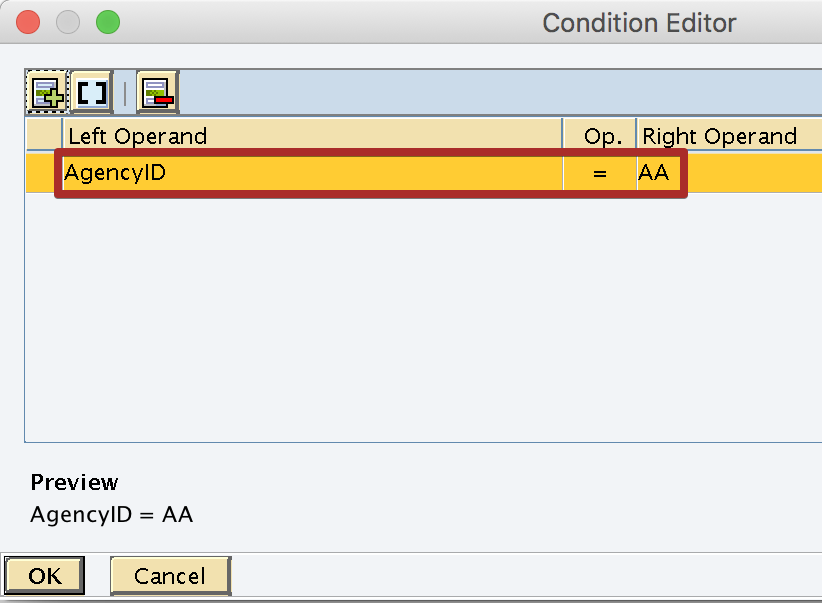
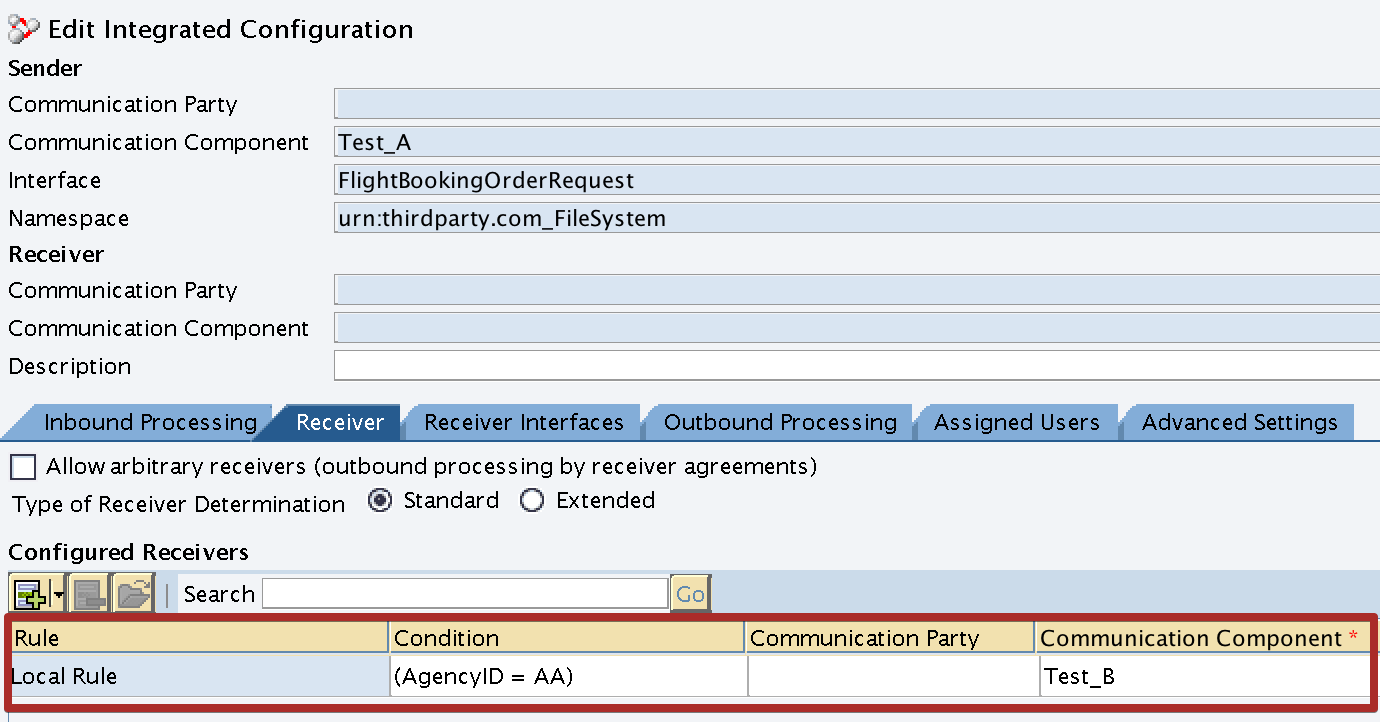
If Xpath ‘FlightBookingOrderRequest/AgencyData/AgencyID’ equals to ‘AA’ receiver should be ‘Test_B’.
Step 1: Create Context Object for ‘AgencyID’.
Create Context Object and assign the Reference Type property based on the XML element. AgencyID is a String element, therefore we assign the reference Type of the Context Object as xsd:string.
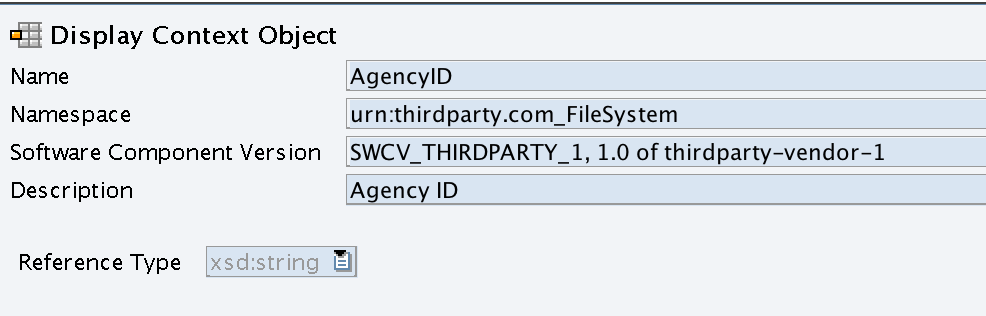
Step 2: Assign Context Object to Outbound Service Interface.
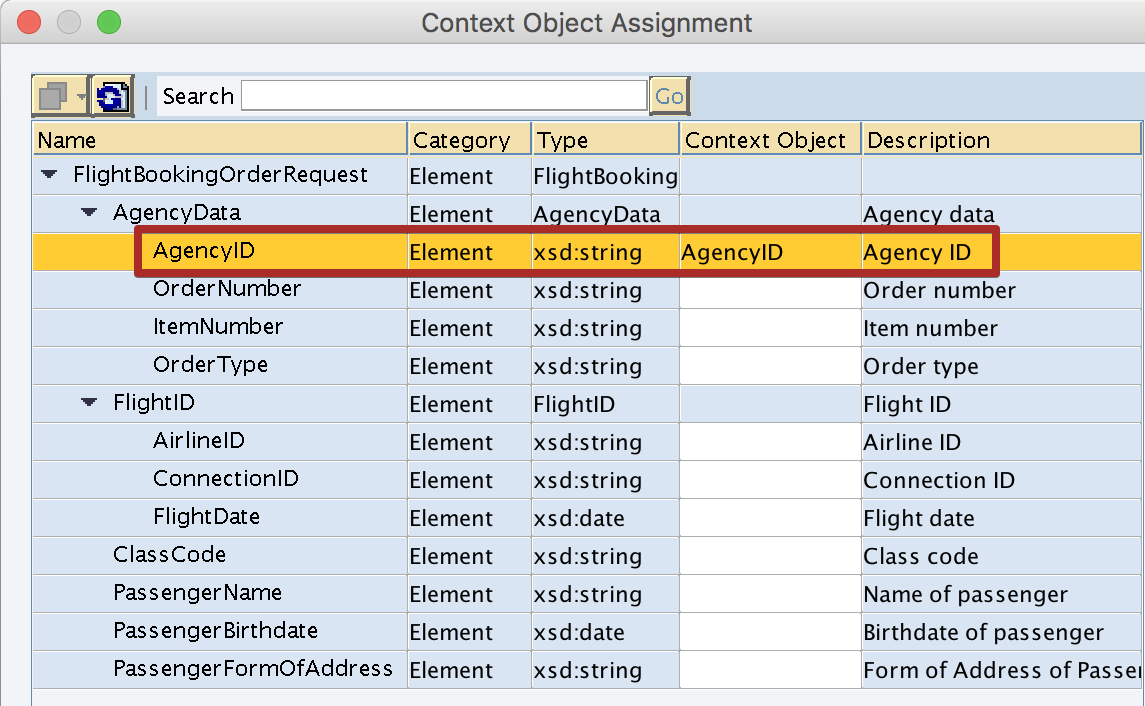
Assign the Context Object created in step 1 to corresponding Xpath of the Message Type or External Definition in Outbound Service Interface. Make sure your Outbound Service Interface is of Interface Pattern ‘Stateless (XI30 – Compatible)’. Context Objects are only compatible with Interface Pattern ‘Stateless (XI30 – Compatible)’.
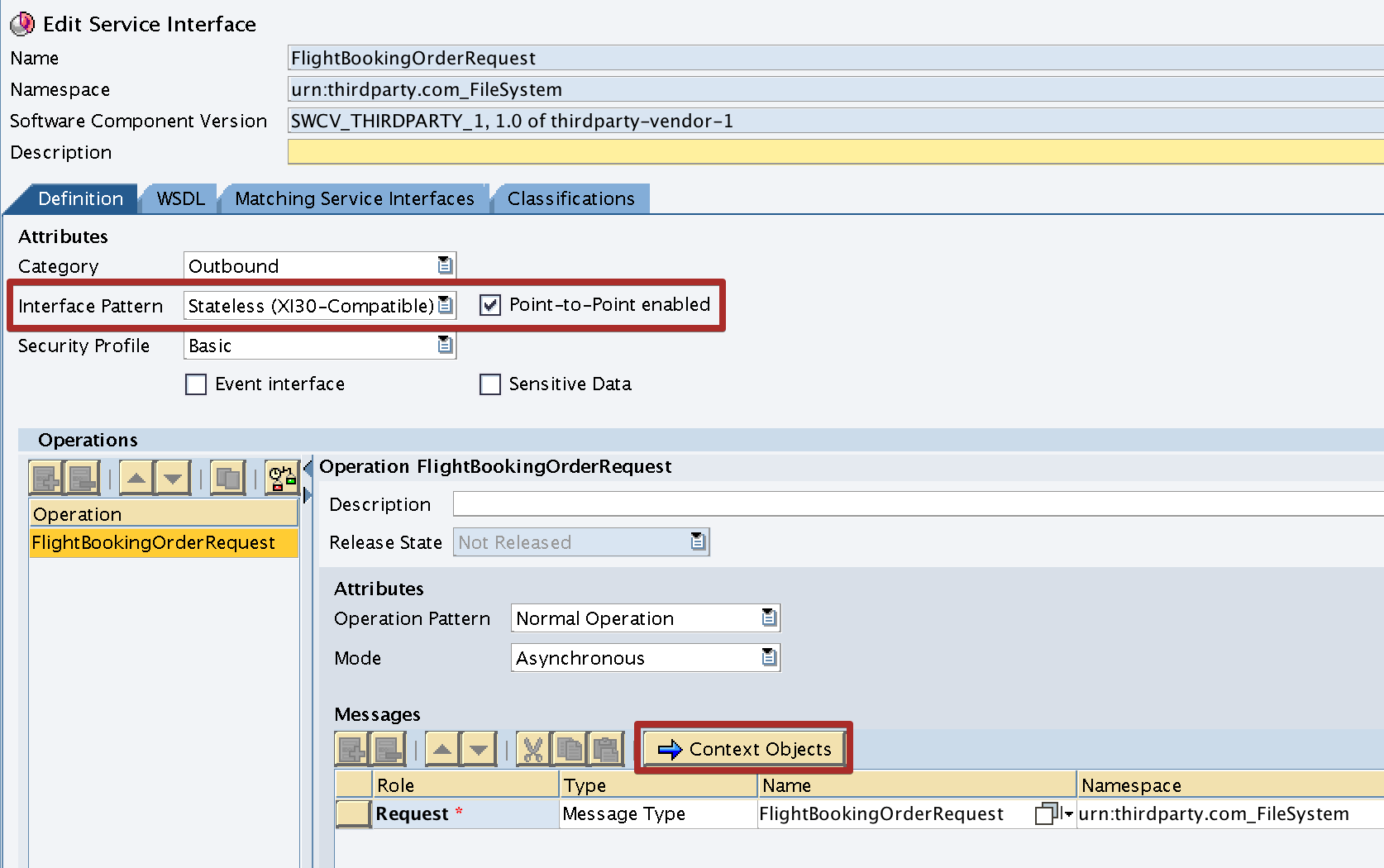
Use the drop down list to select the Context Object. Once Context Object is correctly assigned, it would be shown under Context Object Column with the data element.
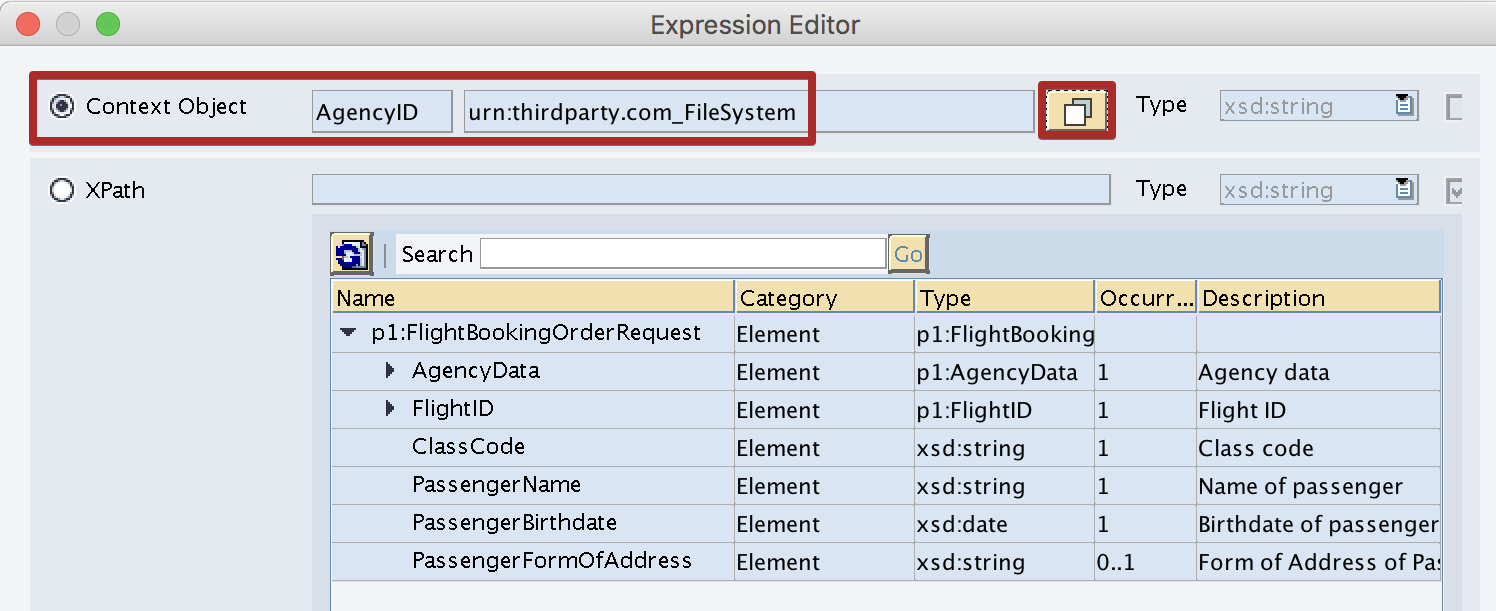
Step 3: Use the Context Object in Integration Directory for Receiver Rule or Content Based Rule.
Now you can use Context Object ‘AgencyID’ instead of full Xpath for Content Based Receiver Determination in Integration Directory. Use the down down list to select the Context Objects created in Enterprise Service Repository (ESR).
If you cannot view the Context Objects created in ESR in ID, make sure you have assigned the Context Object assigned to the Outbound Service Interface and Interface is in Interface Pattern XI30 – Compatible as shown in Step 2.
Please leave a comment if you have any questions on Context Objects.
The post Use of Context Objects with Example appeared first on SAP Integration Hub.