


In this article, we will look at what SAP API Management (APIM) actually does. In the previous article, we placed APIM in the bigger picture: API Management is one capability of SAP Integration Suite, running on SAP Business Technology Platform (BTP).
First, we will look at the simplest concept of API Management: a layer that sits on top of the APIs you already have. Then we will go through its five core functions, Secure, Manage, Publish, Monitor, and Monetize, one by one. Finally, we will bring them back together and see how that layer actually works.
API Management Is a Layer on Top of Your Existing APIs
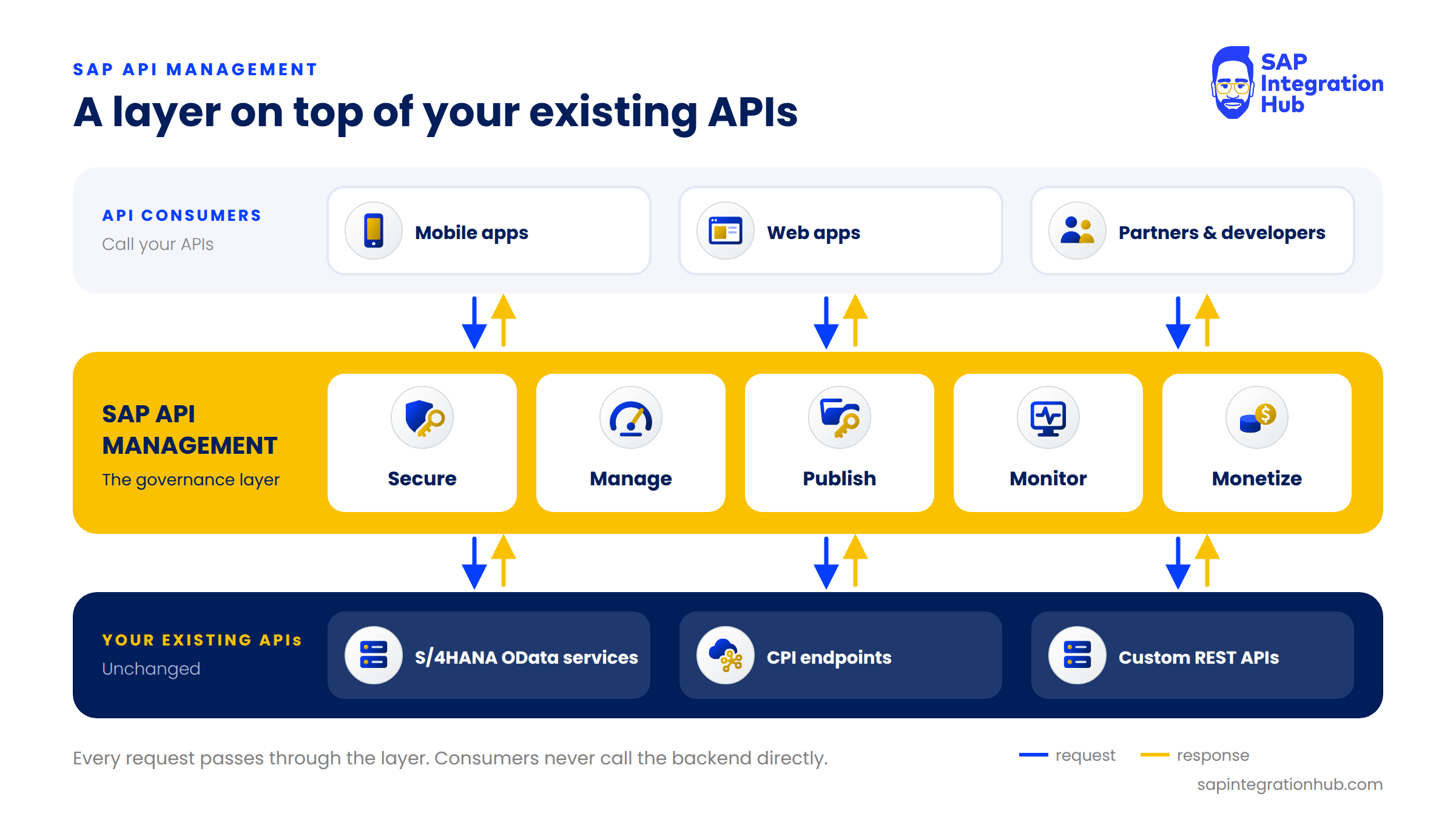
Here is the simplest way to think about it. You already have APIs. Your S/4HANA system exposes OData services. Your Cloud Integration (CPI) iFlows have HTTP endpoints. Your custom applications have REST APIs. They already work.
API Management is the layer you put on top of those APIs. It doesn’t replace them, and it doesn’t change how they work internally.
I like to explain it with a highway. Without API Management, your APIs are like an open highway: anyone can drive on it, at any speed, with no toll booths, no speed cameras, and no idea who is actually on the road. Everything works, but you have no control over any of it.
API Management adds that control. It sits between whoever is calling your API, the consumer, and the backend system that serves the response. Every single request passes through this layer, and that is where you apply your rules.
💡 Key takeaway
API Management is a governance layer between API consumers and your existing APIs. Every request passes through it, so that is where you secure, control, and observe your APIs without changing the APIs themselves.
The Five Core Functions of SAP API Management
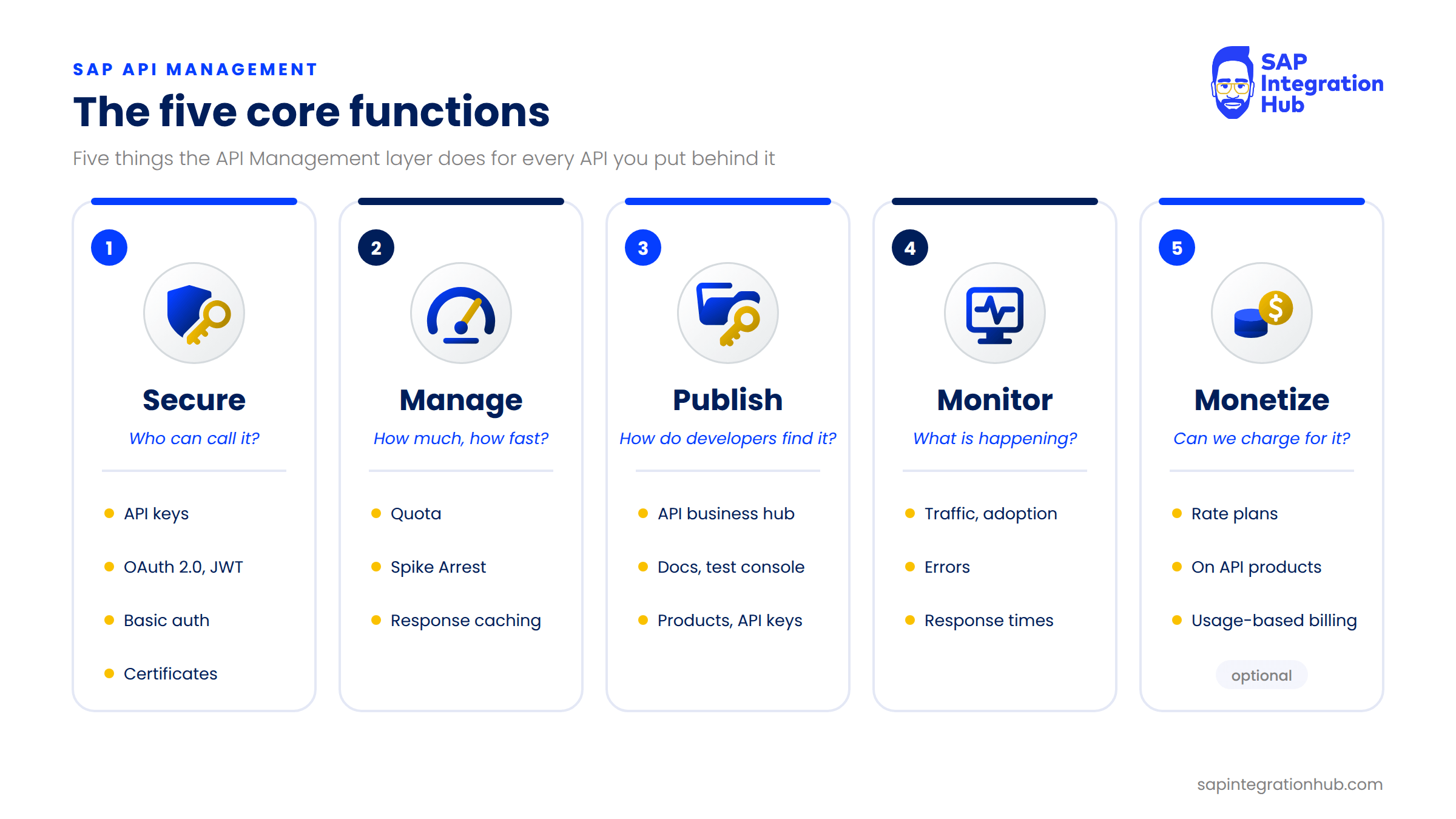
API Management gives you five core functions. Let’s go through each one.
1. Secure
Secure is probably the most common reason organizations adopt API Management in the first place. You need to control who is allowed to call your API, so API Management verifies the caller’s identity before anything else happens. Depending on the scenario, that can be an API key, an OAuth 2.0 access token (including tokens in JSON Web Token (JWT) format), basic authentication credentials, or a client certificate.
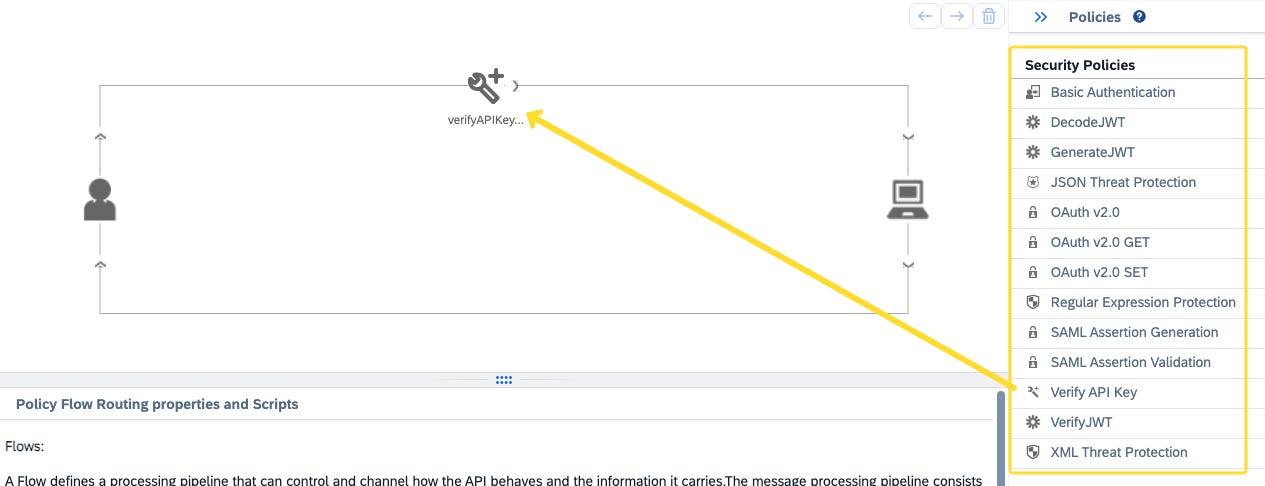
If a request arrives without valid credentials, it is blocked right at the APIM gateway. It never even reaches your backend system, which is exactly what you want for an S/4HANA system sitting behind the API.
We will spend a lot of time on this later in the series, with hands-on parts on the Verify API Key, Basic Authentication, and OAuth 2.0 policies.
2. Manage
Now, even if a consumer is allowed to call your API, you still want to control how much they can call it. That is the job of the Manage function, and it comes down to these policies.
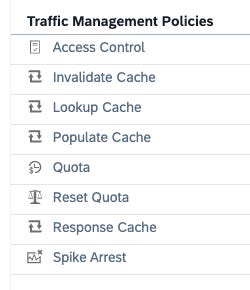
Quota limits the number of calls a consumer can make in a time window, for example 1,000 calls per day. Once a consumer exceeds that limit, API Management returns an error instead of forwarding the request.
Spike Arrest protects your backend from sudden bursts of traffic. Let’s say you normally receive 10 requests per second and suddenly 500 arrive at once. Spike Arrest smooths that burst out so your backend doesn’t fall over.
⚠️ Quota vs Spike Arrest
Quota is about a consumer’s total allowance over a period. Spike Arrest is about protecting the backend from traffic arriving too fast.
Caching stores a response at the gateway. If your backend returns the same response for the same request, the next identical request is served straight from the cache without touching the backend at all. That reduces load and makes the API faster for the consumer.
3. Publish
The Publish function is about developer experience. Once an API exists, how do developers find it? How do they know which endpoints are available, which parameters to pass, and what responses to expect?
SAP API Management splits this into two sides:
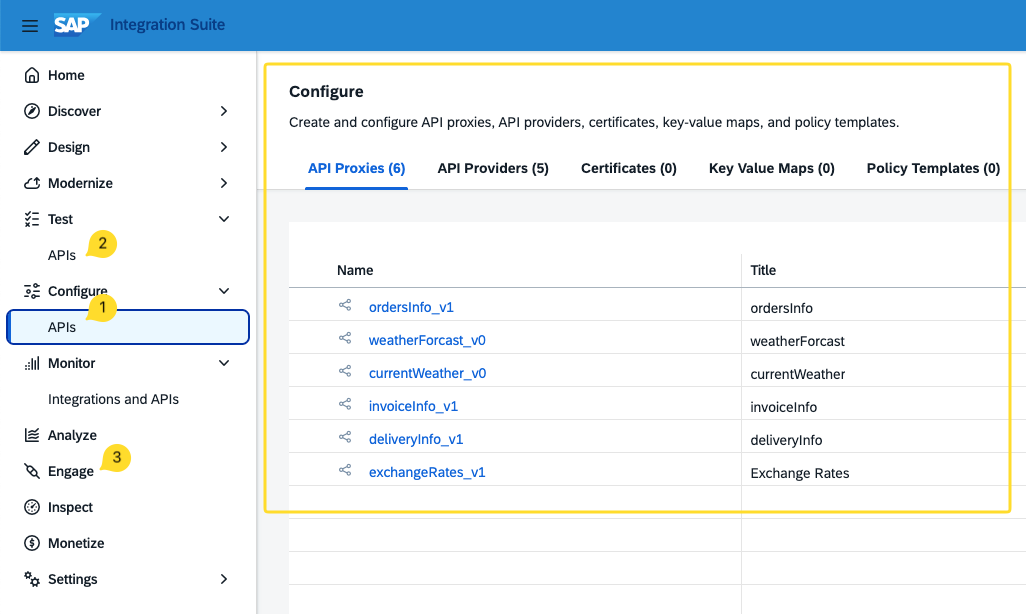
API portal: where you, the API admin/developer, work. This is where you build API proxies, attach policies, and bundle APIs into products.
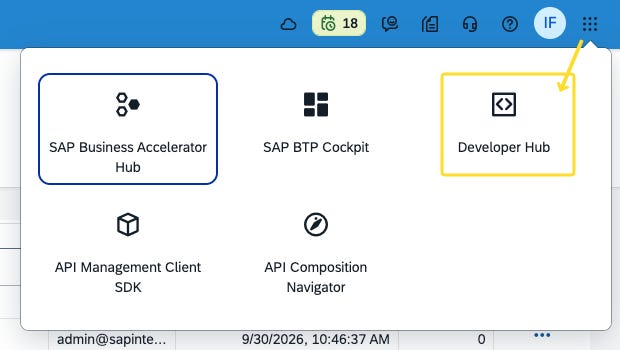
API business hub enterprise (previously called the Developer Portal): the self-service portal for API consumers. Developers browse your published APIs, read the documentation, try them out in a test console, subscribe to a product, and create an application to get their own API key, all without you creating credentials for each one by hand.
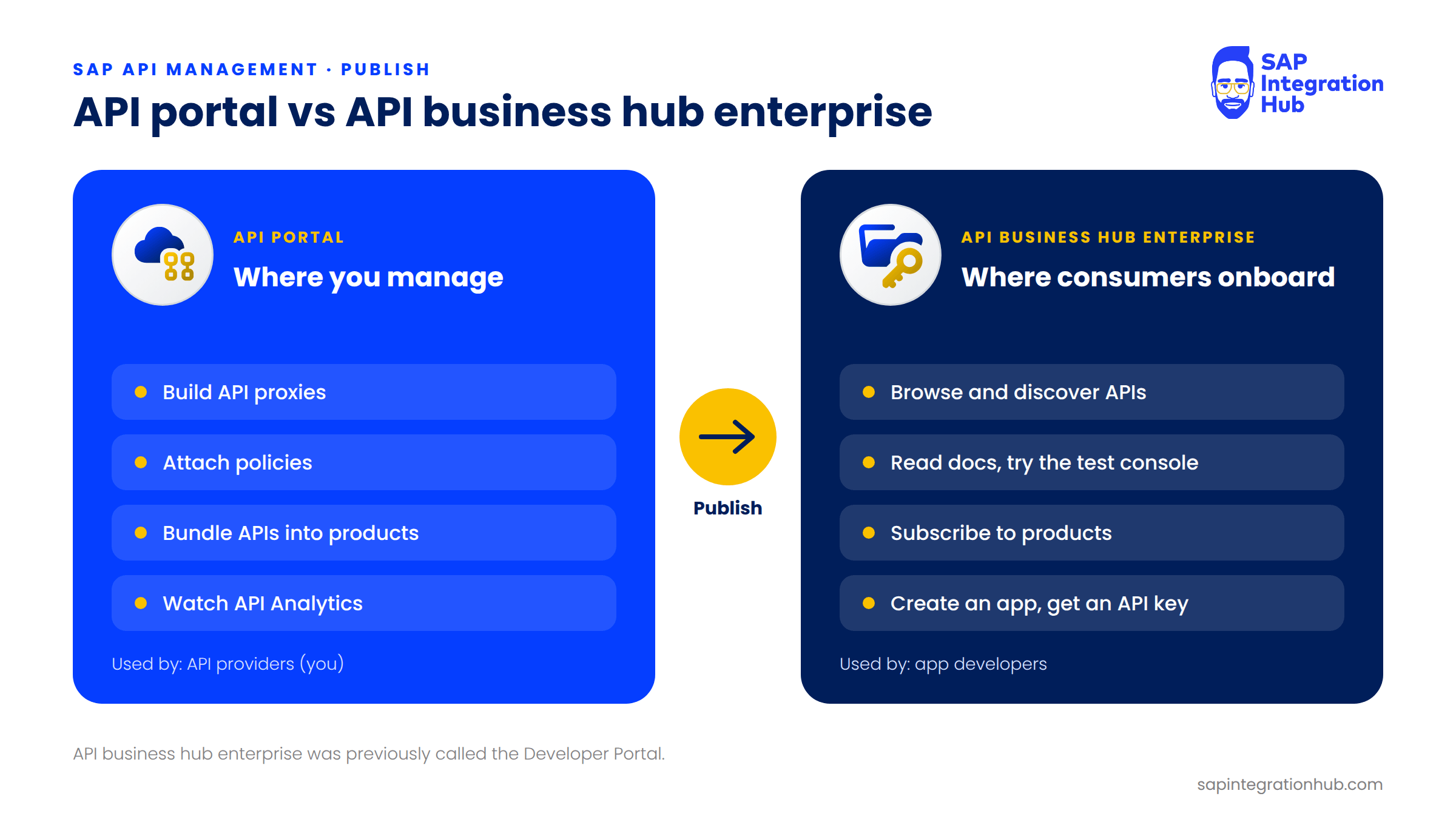
Put simply, the API portal is where you manage everything, and the API business hub enterprise is where your API consumers onboard themselves.
4. Monitor
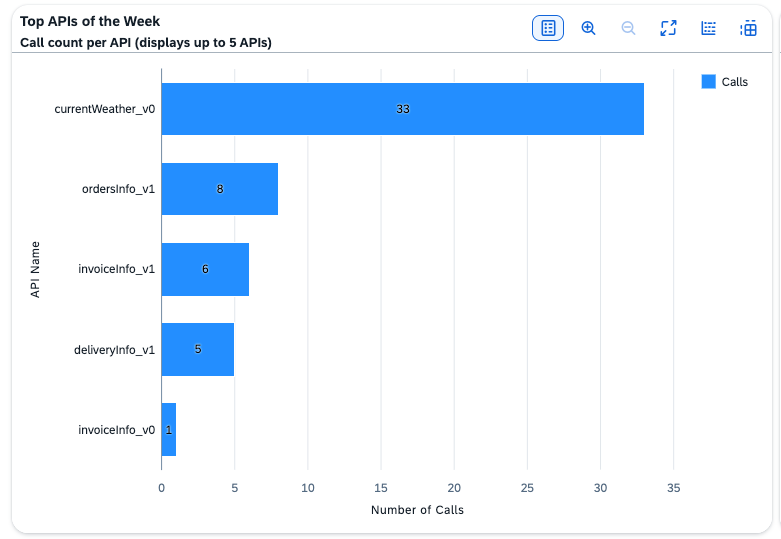
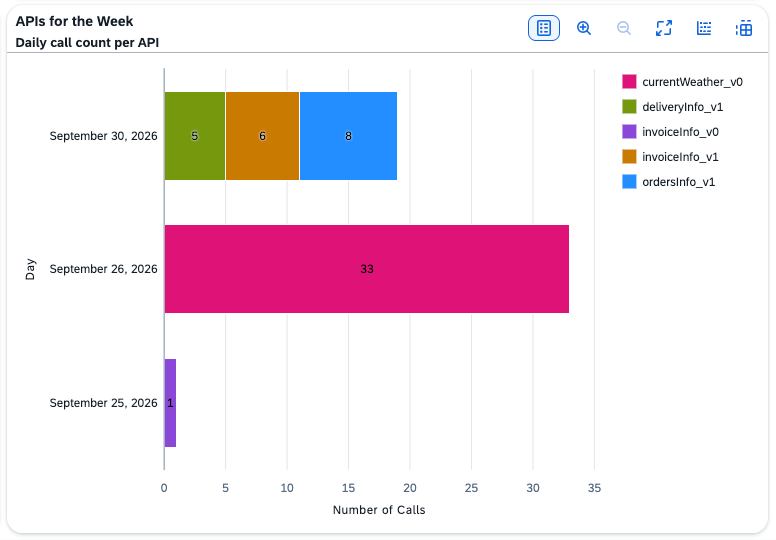
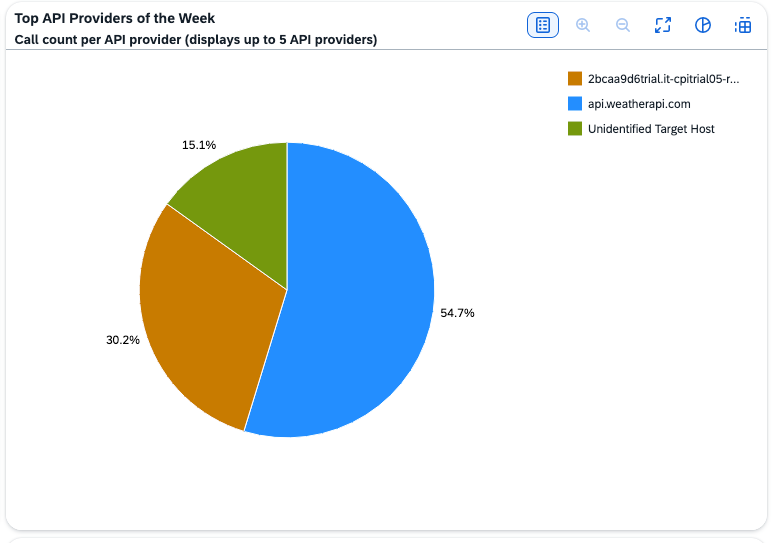
Once your APIs are live, you need to know what is happening. How many calls are coming in? What is the average response time? Are there errors, and which consumers are generating the most traffic?
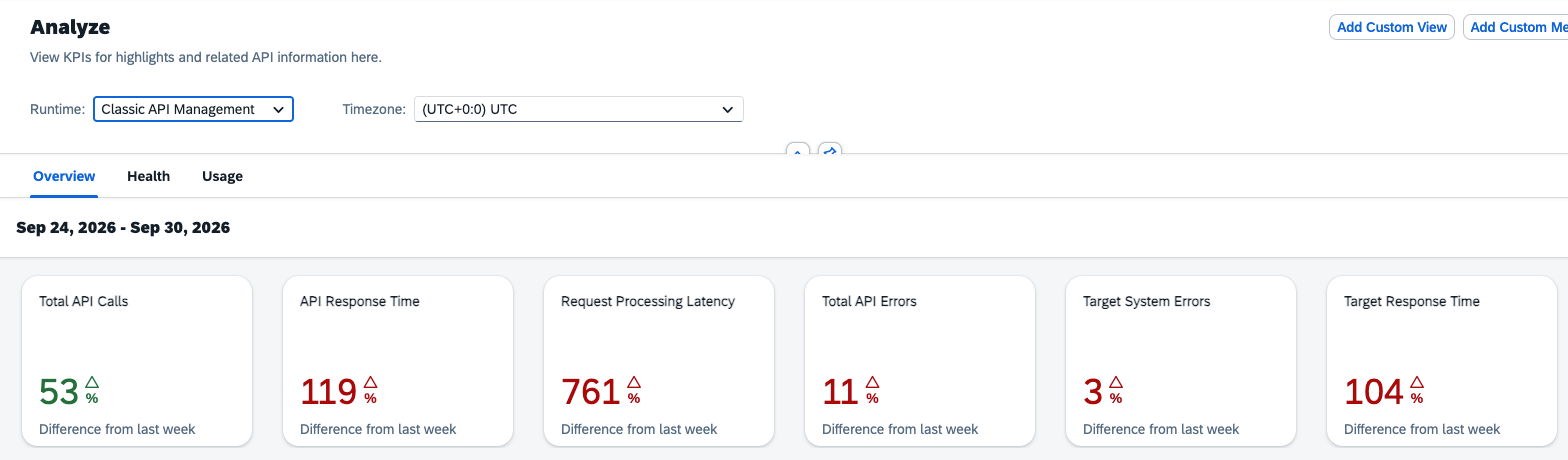
API Management gives you API Analytics: dashboards that show traffic patterns, errors, response times, and which APIs are being adopted and which are not. This matters for troubleshooting, but it matters just as much for business decisions. If one API gets ten times more traffic than another, that tells you something about what your consumers actually need.
5. Monetize
The fifth function, Monetize, is optional, and plenty of organizations never use it. But when you run an API program for external partners or developers, it lets you charge for API access.
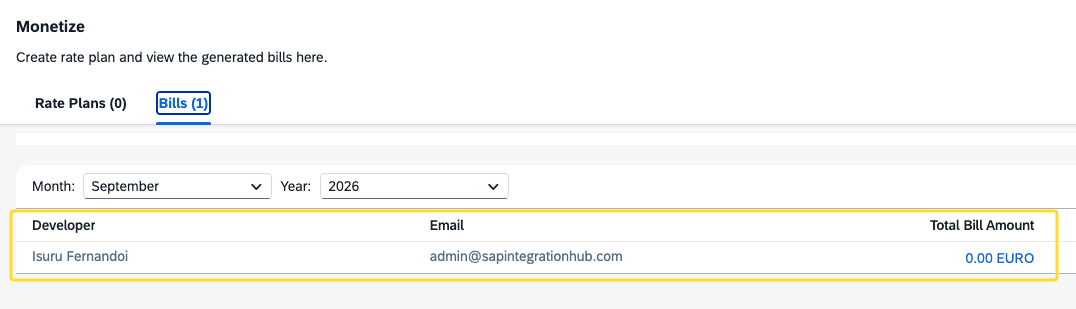
You define rate plans, for example a price per API call, or a flat monthly fee that covers up to a certain number of calls, and you attach those rate plans to your API products. API Management then tracks usage and calculates the billing. That is how an API goes from being a cost center to being a revenue stream.
The Five Functions at a Glance
Here is a quick way to remember which function answers which question:
Secure: Who is allowed to call this API? (API keys, OAuth 2.0, JWT, basic authentication, certificates)
Manage: How much, and how fast, can they call it? (Quota, Spike Arrest, response caching)
Publish: How do developers find and start using it? (API portal, API business hub enterprise, products)
Monitor: What is actually happening with it? (API Analytics: traffic, errors, response times)
Monetize: Can we charge for it? (Rate plans attached to products)
How the Layer Is Put in Place: API Proxies and Policies
Let’s bring it back together. At the bottom, you have your existing APIs: S/4HANA OData services, CPI endpoints, and custom REST APIs. At the top, you have the API consumers: mobile apps, web apps, partners, and third-party developers. In the middle sits the API Management layer, where Secure, Manage, Publish, Monitor, and Monetize all happen.
The consumers never talk to your backend directly. They talk to the API Management layer, and the layer handles everything in between.
The way you put that layer in place is by creating an API proxy.
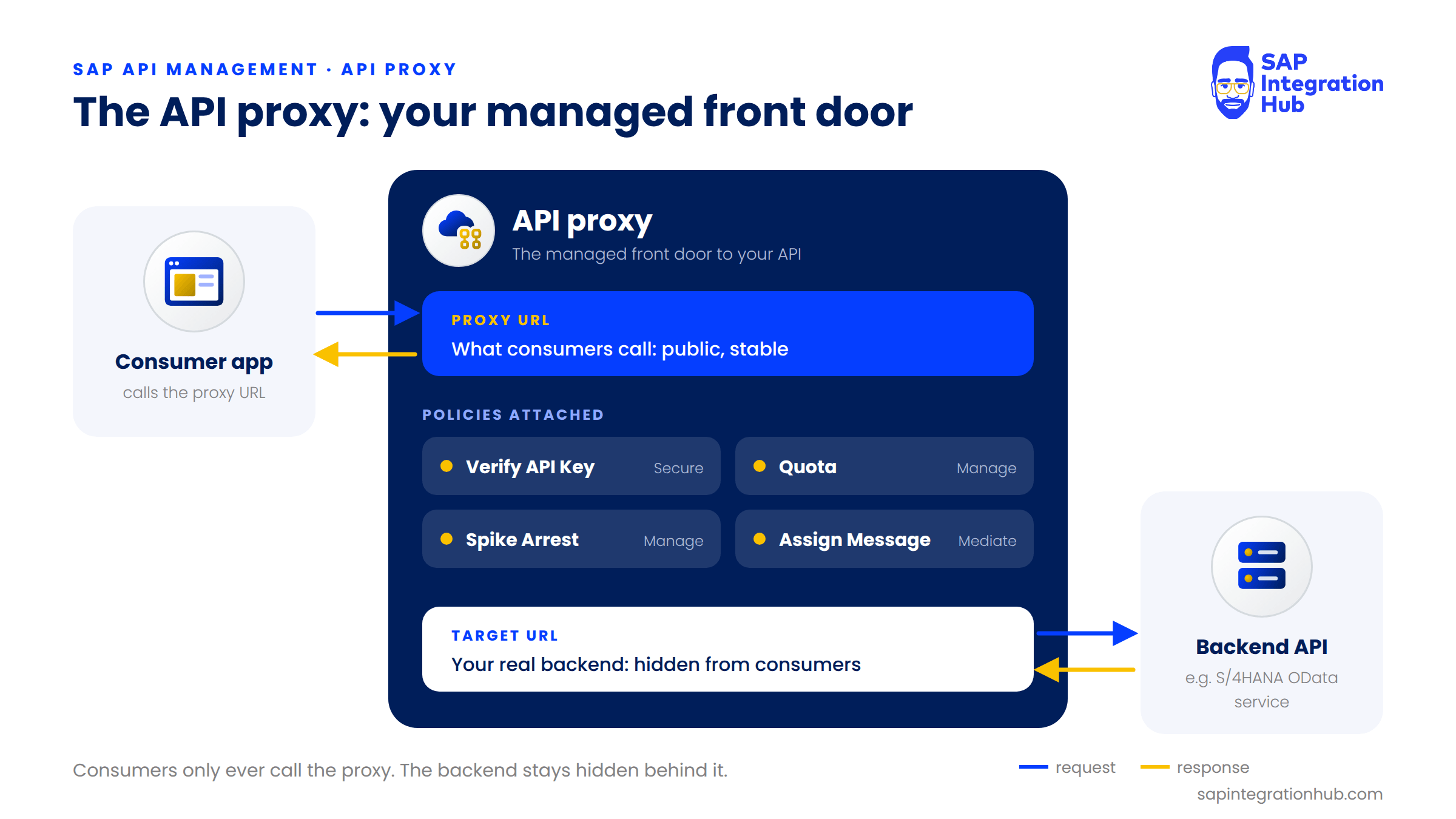
The API proxy is the managed front door between the consumer and your backend, and inside it you attach policies: pre-built rules for security, traffic management, message transformation, and more. Verify API Key, Quota, and Spike Arrest, which we mentioned above, are all policies you attach to a proxy.
So, to summarize: API Management is a governance layer that lets you secure, manage, publish, monitor, and monetize your APIs, without changing the APIs themselves. In the next article, we will look at how this works under the hood: the architecture, the API proxy, and the policy engine.
If you have any questions about what SAP API Management does or how these five functions fit together, please leave a comment below. I will be happy to help.